
Keytom Visa card, spent from a USDC balance, reviewed for everyday use
 Available in US
Keytom is a Visa card that spends directly from a USDC balance. The card itself is USD only, so any payment in another currency runs through Keytom’s conversion, and the cost of that conversion is the single largest fee in everyday use. The pitch is simple: top up with USDC, spend wherever Visa is accepted, top up again when the balance runs low. The reality is more specific, and the fees, the country list and the missing Apple Pay support shape who this card is genuinely useful for.
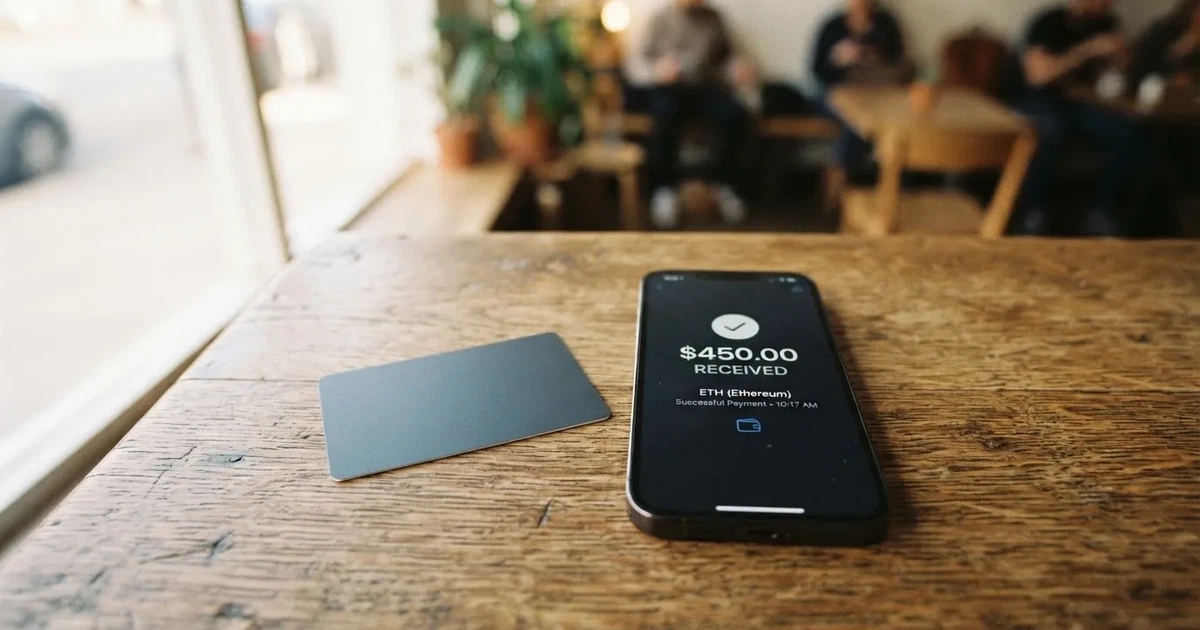
I went through Keytom’s public pages, its customer acceptance policy, its FAQ and a small set of user reviews on Trustpilot. The conditions below are current as of October 28, 2026.
Verdict
Keytom scores 6.0 out of 10. The headline figure is the right starting point, but the mark by itself hides why the card lands in the middle of the range. The two strongest points are reach and everyday usability: Keytom says it serves residents of 150 or more countries, and the card works with Google Pay, PayPal and contactless at the till. The two weakest points are cost and the limited top-up picture, both of which matter day to day.

If you fund a USD-denominated card with USDC and pay mainly in dollars, the structure is sensible. If you pay in other currencies, or if you compare Keytom to cards with lower FX or cashback, the math gets harder.
Score table
| Criterion | Mark | Why it scored there |
|---|---|---|
| Who can get it | 8 / 10 | 150+ countries claimed; several major jurisdictions excluded |
| Cost | 3 / 10 | Monthly 10 USDC, 1% USD / 2.35% non-USD, 2% ATM |
| Top-up options | 4 / 10 | USDC balance, Visa Direct top-up, in-app convert; networks not listed |
| Reliability and complaints | 7 / 10 | FINTRAC-registered MSB; Trustpilot 4.3/5, but themes around withheld referral rewards |
| Everyday use | 8 / 10 | Virtual and physical Visa, Google Pay and PayPal, ATM up to USD 3,000/day |
| Total | 6.0 / 10 | Reachable and usable; cost is the binding constraint |
The score is a sum, not an average: the cost penalty drags the card down more than its reach lifts it up. A reader who is choosing between Keytom and a competitor should weight the cost row most heavily.
Who will they give you the card
Keytom says the card is available to residents of “150+ countries”. That is a wider footprint than most crypto cards. It is also a softer claim than it sounds, because availability “may be subject to residency restrictions” in places Keytom does not spell out, and the company’s Customer Acceptance Policy is explicit about who is excluded.
The exclusion list is the part to read first. The policy names prohibited jurisdictions, including Russia, Belarus, Ukraine, Serbia, Ghana, Uganda and Iran, with “and others” implied. The rule is not just about where you live now. Keytom’s wording covers clients with direct or indirect links to those places, including ultimate beneficial owners residing there or holding citizenship there. A former citizenship or a place of birth alone is not disqualifying if you hold a valid residence permit or citizenship in an eligible jurisdiction and Keytom’s enhanced due diligence is satisfied.
In practice, this means three things. First, country of residence matters. Second, citizenship and country of birth can matter too, even if you moved away years ago. Third, a positive eligibility answer in 150 countries does not mean a positive answer for you, because the policy looks at links, not just the address line on your passport. If any of those factors apply to you, the card page will not give you the answer; support will, and only after they see your documents.
One note on the policy itself: it is written for corporate clients, so individuals reading it have to translate “UBO” into “I am the beneficial owner of my own account”. The principle is the same.
The card is also restricted in how it can be used, regardless of where you are. Keytom blocks fuel pumps, gambling and a few other merchant categories, and warns that some platforms block in-game purchases, so a card that looks broadly accepted is narrower in practice. The full blocked list is not published in one place, so this is one of those things you only learn at the till.
How to get it
The card is a Visa, with both virtual and physical versions. The page does not use the word “credit card” — it calls it a “credit BIN” but it spends from your own USDC balance, not a loan, so functionally it behaves like a prepaid card. The card is USD only and the currency cannot be changed. Validity runs up to five years, and you can hold at most one virtual and one physical card at a time, which is the maximum-two limit Keytom publishes. Both cards are contactless.
The verification side is the part the public page is quietest on. Keytom’s public language talks about 2FA, transaction monitoring and anti-money-laundering controls, and the AML Policy reserves the right to ask for verification information. The page does not say “KYC”, does not name the documents for individuals, does not list proof-of-address rules, and does not state the age threshold. A third-party tracker (cryptocardhub, August 2026) describes the practical process: passport, national ID or residence permit, a selfie or liveness check, proof of address, and source-of-funds evidence when requested, with applicants 18 or older. Treat that as unofficial until Keytom confirms it on its own pages.
There are no KYC tiers in the way some competitors publish them. Keytom reserves the right to ask about a specific transaction, or to request additional verification for unusual activity, and that is the level of detail the public pages reach. Stated processing times and the official reasons for rejection are not stated.
Delivery of the physical card takes about 14 days, and costs 50 USDC. The full list of countries the card can be shipped to is not stated. The FAQ adds a soft caveat that issuance, delivery and payments “may be limited or unavailable in some jurisdictions”, which is the same caveat the country list gets you. Replacement cost is not stated.
What it really costs
This is the section that decides whether the card is worth it. Keytom’s fees are not hidden, but they are stacked, and the stack is tall.
Costs at a glance
| Item | Amount |
|---|---|
| Virtual card issuance | Free |
| Physical card delivery | 50 USDC (about 14 days) |
| Monthly card fee | 10 USDC (USD 20 if you hold both cards) |
| Card payment in USD | 1% (min 0.66 USDC) |
| Card payment in other currencies | 2.35% (min 0.66 USDC) |
| Crypto-to-USD conversion | Weighted average of top 5 exchanges (FAQ wording) |
| ATM withdrawal (USD, physical card) | 2% (min 0.66 USDC) |
| ATM withdrawal (other currencies) | 3.35% |
| Daily ATM limit | USD 3,000 |
| Monthly ATM limit | USD 3,000 / USD 10,000 per month |
| ATM count limits | 3 per day, 30 per month |
| Yearly ATM limit | USD 100,000 |
| Soft per-transaction cap | ~USD 150,000 |
| Top-up fee (card page) | None listed |
| Cashback or perks tier | None |
Two things to underline. First, the monthly fee is charged only when the balance covers it, so the card does not put you into a negative balance just to take a fee, but a 10 USDC charge every month is still 120 USDC a year before you have paid for anything. Second, the ATM number is a hard number from the card page, but the operator of the ATM is free to add its own fee, and the FAQ acknowledges that. A reader who assumes the published fee is the only fee paid at an ATM will be surprised.
Three everyday payments, worked out
A USD coffee at a US café, paid by tapping the virtual card in Google Pay. The card page says 1% with a 0.66 USDC minimum. On a 5 USDC coffee, the fee is 0.66 USDC, not 0.05, so the minimum dominates small purchases. A 100 USDC supermarket shop costs 1 USDC in fees.
A EUR 50 dinner in Berlin, paid with the physical card. Keytom charges 2.35% on non-USD payments, with the same 0.66 USDC minimum. The 50 EUR at, say, a 1.08 EUR/USD rate is about 54 USD, so the fee is about 1.27 USDC. There is no separate “FX fee” line on top; the 2.35% is the FX cost. Your card-issuer bank, if you have one, is not in this transaction at all, because the card spends from your Keytom balance.
A USD 200 ATM withdrawal on holiday. 2% of 200 is 4 USDC; the minimum does not bind. The ATM operator may also charge its own fee, separate from Keytom. You have also burnt 10 USDC that month on the monthly card fee, and the conversion from USDC to USD is itself charged at the FAQ’s “weighted average of top 5 exchanges”, which is not a guaranteed rate.
The cost section is the place to be honest with yourself about your spending mix. If three-quarters of your monthly card spend is in USD, the 1% rate keeps the bill modest. If a meaningful share is in other currencies, the 2.35% rate is the number to model first.
Top up
The card spends from a USDC balance, so top-up is the moment the system actually does something. Keytom describes three ways to put USDC on the card: top up with a payment card through Visa Direct, send USDC directly to a Keytom deposit address, or convert euros or other crypto you already hold inside Keytom into USDC. The card page does not list a top-up fee.

The minimum top-up is not stated. The network fee payer is not stated. The list of supported networks for direct USDC top-ups is not stated either, and that is a real gap. Stablecoins are issued on many networks, and the rule across the category is that sending a USDC transfer on a network the provider does not support, or to an address belonging to a different network, can lose the funds or require manual recovery with no guarantee. A reader who plans to top up by sending USDC from their own wallet needs to check the supported network in the app before sending, not after.
A third-party tracker (cryptocardhub, August 2026) lists additional top-up and withdrawal options for a Keytom personal account: SEPA incoming at 0.5% plus EUR 0.25, SEPA outgoing at 1% plus EUR 0.25 (minimum EUR 2.75 per direction), and EUR-to-crypto conversion at 1.5%. Crypto withdrawal, again per that source, is 0.1% plus the network fee. Treat all of this as unofficial until Keytom’s own pages confirm it; the card page itself only names the three options above.
Cash withdrawal from the card balance, in the sense of moving it back to a bank account, is not described on the public pages. ATM cash withdrawal is described and is covered in the cost section. The card page links to a Deletion Policy whose contents were not read.
Paying with it every day
The card works where Visa works. The physical card taps and inserts; the virtual card is added to Google Pay or to PayPal for online checkout. Apple Pay is “not available yet” per the FAQ, and a Trustpilot reply from Keytom in October 2026 says Apple Pay is “being brought back”, which implies it was available before. A reader who is buying this card for Apple Pay should treat that as a wait-and-see, not a feature.
The card has a soft cap of around USD 150,000 per transaction, and no fixed cap on the number of transactions or monthly spend, so the ceiling is high in absolute terms. Whether the issuer and the network allow a payment of that size is a separate question, and a USD 150,000 supermarket shop will trigger the “may sometimes ask about a transaction” clause in Keytom’s own wording.
Refunds go through the merchant, and Keytom’s FAQ gives a 2-15 day window, with the original payment fee not refunded (so the refund can be slightly lower than the original charge) and no extra refund fee. Hotels and airlines can place a hold for up to 30 days, which is worth knowing if you are budgeting around a check-in or a flight. The page does not mention chargebacks as a feature, so a cardholder who needs a chargeback path is looking at the merchant first, and at the card network second, before going back to Keytom.
There is no cashback, no points programme, and no premium tier. A third-party tracker agrees there is no advertised cashback or purchase rewards; the card page does not contradict that. If the value you want from a card is a small rebate on every tap, Keytom does not offer it.
The app is published for iOS and Android. App Store and Google Play ratings are not stated by Keytom, and the languages supported are not stated either. The website is shown in English only.
What can go wrong
Three categories of risk matter for this card: company and regulatory, security, and user-experience risk.
Company and regulatory
Keytom is operated by KEYTOM SERVICES LTD, registered in Canada as a Money Services Business with FINTRAC under MSB M21788474. The page names the company but does not name the issuing bank, which is a small gap; in practice, the BIN on the card is the easiest way for a curious reader to identify the issuer, because every Visa card carries the issuer identification number on the front.
Regulation in the EU matters even for a Canadian issuer, because the MiCA rules on crypto-asset service providers took effect in stages across 2024 and the transitional period runs to 1 July 2026. A reader in the EU is on a card that combines a Canadian money-services-business registration with EU consumer-protection rules, and the practical result is that Keytom’s customer-acceptance and AML processes will look familiar to anyone who has KYC’d with a European competitor.
Security
Keytom holds the balance. That is the most important sentence in this section. You do not have a seed phrase to your USDC, because the USDC sits in Keytom’s custody, not in your own wallet. The official pages describe segregated client accounts, a freeze button from the dashboard, two-factor authentication, transaction monitoring and AML controls, and FAQ wording that says crypto is “insured up to $100 million through Fireblocks”. Withdrawals can be paused for suspicious activity. Insurance through a custodian is not the same as deposit insurance, and the fact that segregated accounts exist does not make your funds the same as a bank deposit; if you want the equivalent of a bank-style guarantee, you would need to look at a different kind of product.
The Trustpilot picture is mixed. Across 37 reviews in the year to October 2026 the score is 4.3 out of 5, with 81% five-star and 14% one-star. The negative themes, in date order, are: fees and exchange rates seen as high compared with alternatives (January and September 2026), a referral reward withheld and the account closed in January 2026 (Keytom replied in October 2026 saying rewards can be withheld for suspected abuse), and Apple Pay not working (October 2026, with Keytom again saying it is being brought back). Only 10 of the 37 reviews are publicly visible on the page, so the picture is partial. Treat the themes as signals, not as a verdict.
User experience
The single biggest everyday risk is the unsupported-network top-up. A USDC transfer on the wrong network is, in general, either lost or it requires manual recovery that the provider does not guarantee. Keytom’s public pages do not list the supported networks, so the protection is to check the in-app deposit screen before sending, every time.
The second is the conversion rate. Keytom uses a weighted average of the top five exchanges to convert your crypto to USD, per the FAQ. That is a published formula and a defensible one, but it is not the rate you would get by trading yourself. The 1% USD payment fee is on top of that conversion. A reader who is sensitive to basis points should treat the two numbers together.
The third is the country-list gap. Even if the card is “available in 150+ countries”, the practical answer for a specific reader depends on the customer-acceptance policy, the residence rules, and the question of which countries the physical card can be shipped to. If the answer matters to you, the support inbox is the only place to ask.
What to take instead
Three other cards sit in the same general category — Visa or Mastercard, spent from a crypto balance, with a KYC process and a published fee schedule. The numbers below are drawn from their own public pages and are not summed with Keytom’s; they are alternatives, not averages.
Keytom vs RedotPay
RedotPay (6.9/10) is a closer competitor than the others. It publishes two lists: a KYC list of unsupported countries (which it ties to local regulation and sanctions policy, not to individuals), and a separate card-issuance list of 47 places where residents cannot get a virtual or physical card even if they pass KYC. The two lists overlap on Russia, Belarus, Ukraine and Serbia, and diverge elsewhere; India, Indonesia, Morocco, Nepal, Singapore and Turkey are on the card-issuance list but not the KYC list. Citizenship is not the criterion on the card-issuance list, residence is.
RedotPay issues a virtual and a physical card, with a USD card and an HKD card. The fees are higher at issuance: USD 10 for a virtual application and USD 100 for a physical, non-refundable once paid, with no monthly or annual account fee. The transaction fee is 1% on the default currency (waived in some cases), 1.20% on non-default currency, and a small-auth fee schedule that waives the first five USD-or-less purchases per card per month, then charges 0.20 USD. A “RedotPay Pro” tier at USD 12.90 a month or USD 129 a year is a paid option.
For a reader whose problem is “I want a card in 150+ countries and I can pass KYC”, RedotPay is the closer comparator and the higher score, with the trade-off being a higher upfront cost and a more complex fee schedule. The deciding question is which card has a clear eligibility answer for your specific country and your specific case.
Keytom vs Bitpanda
Bitpanda (6.5/10) is an Austrian platform, and the card is a EUR-denominated Visa debit, with a verified Bitpanda account and residence in a euro-area country as the hard rules. A user verified through “Bankident” cannot order the card. The card is a single physical Visa, EUR only, one active card at a time, with the first shipment free, a EUR 5.90 reissue fee (EUR 9.90 in one FAQ line for lost or stolen), and EUR 10 for additional physical cards.
The FX structure is different: no explicit Bitpanda FX fee on top, but the page warns that “VISA mark-up fees apply” on non-EUR spending. The card converts your chosen main asset into EUR at payment, from a list that includes cryptocurrencies and precious metals but excludes the Crypto Indices, with a EUR 1 minimum payment. The cashback story is unclear: the body of the page says 1% on crypto spending, the summary says “up to 2%”, and the two are not reconciled; fiat, stocks, metals and stablecoins are excluded from the reward. A reader in the euro area who wants a EUR card and is happy with auto-conversion is looking at a different fee shape than Keytom’s; a reader outside the euro area is looking at the wrong product.
Keytom vs Wirex
Wirex (6.7/10) is the broadest on geography, claiming “Worldwide (130+ countries)” on its homepage, with fees published for the UK, EEA, APAC, Singapore, Australia and an “Other” bucket, and delivery fees for the UK, EEA, Hong Kong, Singapore, Australia, New Zealand, the Philippines and Taiwan. The Singapore terms say cash withdrawals are not permitted in Singapore, and that transactions with a “Prohibited Countries” list (which names Iran, Cuba, Syria “and others”) are barred. Residence country on the account has to match the ID.
The card is a virtual card for online use and a physical card for POS and ATMs, on Visa or Mastercard depending on region, with a metal “Visa Signature debit” option in the UK and Europe. Card issuance is free in the published regions, with a 45 GBP / 45 EUR delivery fee for the metal card and DHL Express on the UK page. Card currency and validity are not stated on the public page. The fee story is more fluid: the page says “no annual or foreign exchange fees” as marketing, while the fee page leaves the FX number out and says rates are shown in the app before you confirm.
The interesting Wirex feature is the cashback in WXT, the platform’s own token: 0.5% on Standard, 3% on Premium, up to 8% on Elite, with exclusions for ATM withdrawals, cash advances, crypto purchases, gambling, refunds and a long list of merchant category codes. That is a meaningful difference for a reader who values a small rebate, and a meaningful risk for a reader who is being paid in WXT and would rather be paid in USDC or in fiat.
The right framing for the comparison is not “which card is best” but “which card has the right combination of country, currency and fee shape for what I actually do”. Keytom is a USDC-funded, USD-only card with a 1% USD payment fee; RedotPay is a higher-upfront-cost card with a wider published fee schedule; Bitpanda is a euro-area card with auto-conversion; Wirex is a multi-region card with tokenised cashback and no published FX rate.
Who I would recommend it to
Keytom is a sensible answer for a specific reader. The card makes most sense if you hold USDC, want a USD card to spend it on, and your everyday payments are mostly in dollars. In that case the 1% USD fee is the main number, the 10 USDC monthly fee is a known cost, and the country list is unlikely to be the binding constraint. The Google Pay support is enough to cover phone payments, and the ATM limit is large enough for occasional cash.
The card makes less sense if a meaningful share of your spending is in other currencies, because the 2.35% non-USD rate is the largest single fee on the page and there is no way to hold a multi-currency balance. It also makes less sense if you want cashback, because there is none. And it makes less sense if you rely on Apple Pay, because Apple Pay is currently listed as “not available yet”.
The bigger question, before signing up, is whether your specific case is welcome at all. The customer-acceptance policy excludes several major jurisdictions, looks at indirect links and ultimate beneficial owners, and reserves the right to enhanced due diligence. If any of that applies to you, the support inbox is the only honest source of an answer. The “150+ countries” line is the headline; the policy is the small print.
Frequently asked questions
What is the Keytom card?
The Keytom card is a Visa, available as virtual and physical versions, that spends directly from a USDC balance held by Keytom. The card is USD only and the currency cannot be changed. Validity runs up to five years and you can hold at most one virtual and one physical card at a time.
How does the Keytom card work?
You load the card with USDC, either by topping up through Visa Direct, by sending USDC directly, or by converting euros or crypto you hold inside Keytom into USDC. The card then behaves like a normal Visa, with the balance debited in USDC and converted to USD at the moment of payment. The FAQ describes the conversion as a weighted average of the top five exchanges.
Is Keytom a bank?
No. Keytom is operated by KEYTOM SERVICES LTD, registered in Canada as a Money Services Business with FINTRAC (MSB M21788474). The page does not name the issuing bank. The card is a Visa with a credit BIN, but it spends from your USDC balance, not from a loan, so it functions like a prepaid card.
Who owns Keytom?
The public pages name the operating company, KEYTOM SERVICES LTD, and its FINTRAC registration. Beneficial ownership of the company itself is not described on the card pages.
Is the Keytom card available in my country?
The card page says 150+ countries. The Customer Acceptance Policy lists prohibited jurisdictions including Russia, Belarus, Ukraine, Serbia, Ghana, Uganda and Iran, and covers direct or indirect links, including citizenship and residence of ultimate beneficial owners. The card page also says issuance, delivery and payments may be limited or unavailable in some jurisdictions. The only way to get a firm answer for your specific case is to ask support.
How do I apply for the Keytom card?
You download the iOS or Android app, create an account, complete the verification Keytom requests, and order a virtual card (free) or a physical card (50 USDC, about 14 days). Keytom’s public pages reserve the right to ask for further documents for unusual activity; the documents listed for individuals are not stated on Keytom’s own page.
Does the Keytom card require KYC?
The card page does not use the word KYC. It describes 2FA, transaction monitoring, AML controls and the right to request verification information. A third-party tracker (unofficial) lists passport, national ID or residence permit, a selfie or liveness check, proof of address, and source-of-funds evidence when requested, with applicants 18 or older.
How do I top up the Keytom card?
The card page lists three options: a card top-up via Visa Direct, a direct USDC top-up, and converting euros or other crypto you hold in Keytom into USDC. No top-up fee is published on the card page. The list of supported networks for direct USDC top-ups is not stated, so check the in-app deposit screen before sending.
Is the Keytom card safe?
The card is custodial: your USDC is held by Keytom, not in your own wallet. Keytom publishes 2FA, transaction monitoring, segregated client accounts, an in-app card freeze, and FAQ wording that crypto is “insured up to $100 million through Fireblocks”. Segregated client accounts and custodian insurance are not the same as deposit insurance.
Is the Keytom card worth it?
For a reader who funds a USD card with USDC and pays mainly in dollars, the structure is straightforward. The deciding numbers are the 1% USD payment fee, the 10 USDC monthly fee, the 2.35% non-USD fee, and the absence of cashback. If those line up with your spending, the card is a reasonable fit; if they do not, RedotPay, Bitpanda or Wirex will read differently against your own pattern of payments.
App and neobank cards – cryptocardpedia.com
Content created by the «cryptocardpedia.com» team