
A crypto card with no annual fee, a two-tier cashback rate and two different fee schedules depending on which issuer you land with
 Available in US
The Jupiter Global card is a Visa payment card you load from a crypto balance rather than from a current account. You verify your identity once, get a virtual card you can use online within minutes, and pay from money you have already put in. There is no credit line and no overdraft. If you want the plastic version, it is being rolled out in phases across the rest of 2026, and it costs $13.13 plus shipping.

I gave it 7.3 out of 10. That is a good card for a specific person and a frustrating one for everybody else, so the honest way to read this review is as a description of who that person is. In short: if you already hold USDC on Solana, you spend most of your money on everyday purchases in dollars or in shops that accept Visa, and a card is what stands between you and being declined at the till, this card does its job at a price most people will find fair. If your money sits on Ethereum, or you need to get cash out regularly, or you want a physical card today rather than at some point before the end of 2026, the details will irritate you.
The conditions described below are current as of October 28, 2026.
Who the Jupiter Global card is for
I rate this card 7.3 out of 10, and the number is less useful than the shape of it. There are five category marks underneath, and they are not equal. The strong ones are top-up options at 8 and everyday use at 8. The middling ones — eligibility, cost, and reliability — all sit at 7, which in plain terms means nothing here is broken and nothing here is exceptional.
| Criterion | Mark | Why, in short |
|---|---|---|
| Who can get it | 7 / 10 | Roughly 52 countries plus 30 US states are documented; Bangladesh and Nigeria are paused |
| Cost | 7 / 10 | No annual fee, physical card $13.13 plus delivery; FX is 1% or 1.8% depending on issuer, ATM $1 + 0.65% |
| Top-up options | 8 / 10 | USDC and USDT on Solana with no processing fee; other networks convert; fiat rails through Noah |
| Reliability and complaints | 7 / 10 | Issued by Rain and DCS, described as regulated financial partners; no card-specific complaints surfaced |
| Everyday use | 8 / 10 | Virtual card immediately, Apple Pay and Google Pay with no Jupiter fee, ATM on Rain cards |
| Total | 7.3 / 10 | A well-built card for Solana users spending USDC, with cashback at the centre of the pitch |
The audience this fits is narrow and worth stating plainly: someone whose working balance is USDC, who is spending it rather than holding it, and who wants two percent back. Everything else in this review is either a caveat for that person or a warning for the others.
Who it does not suit: anyone without a usable ordinary bank card, ironically, is the most obvious candidate — but the KYC process and the country list are where such a person most often runs into trouble, and I have covered both in detail below. It also does not suit someone who needs a physical card in their hand this week, someone who lives in a country the documentation does not name, or someone planning to lean on cash machines.
Will they give you the card
Eligibility runs on country of residence, not citizenship. That is the single most important line in this section, and it cuts both ways: your passport does not decide, the address you can document does.
The documentation lists roughly 52 countries, including Brazil, Mexico, Japan, Singapore and the UAE, along with 30 US states. A longer list of countries where the card is actively offered includes Argentina, Australia, Brazil, Colombia, Egypt, Japan, Kenya, Malaysia, Mexico, Pakistan, Philippines, Singapore, South Africa, South Korea, Thailand, the UAE and Vietnam, with Bangladesh and Nigeria currently paused. Russia, Georgia, Turkey, Serbia, Armenia and Kazakhstan are not on that list. For unlisted countries, the documentation says applications are “reviewed case by case during KYC”, and proof of address is usually required there.
If you are in one of the named countries, this is straightforward. If you are not, “case by case” is not a promise and you should read the rest of this section before you spend an evening on documents.
There is one more eligibility fact that catches people out, and it is worth isolating: one Global ID verification at a time, 18+, with the age requirement stated in the verification section rather than the signup flow. If you already hold a Global ID for something else in the Jupiter app, that is the account you are using. Discord and X logins are not supported, so an account created that way is not a route in.
For a broader sense of how this kind of check works across the industry, the background section later in this review explains why nationality is screened separately from residence even though the card asks about residence — sanctions screening and issuer risk policy are applied to citizenship and country of birth as well as to your address.
How to get it
The stated steps are short: use the Jupiter app, verify your identity, receive your virtual card. That is genuinely all the documentation says, and it is worth understanding what sits behind “verify”.
Identity verification is required. Usually it takes a few minutes; where a manual review is needed, the documentation says 3 to 5 working days. Proof of address is required in APAC and usually required for unlisted countries. The documentation does not state what grounds a rejection, which is a small but real gap — you will not find a checklist explaining what disqualifies you.
Once you are through, you get a Visa virtual card. There is also a Claynosaurz co-branded Visa Platinum virtual card for $25. The card currency is USD, and any payment you make in a currency other than USD carries the FX fee described in the costs section below.
The physical card is where patience is required. It is $13.13 plus shipping, with the shipping charge taken from your Spend balance. There is $30 off tracked shipping if your balance is $1,500 or more. Delivery time is shown in the app per the option you choose, and which countries ship is not stated. The rollout is phased, with full rollout planned by the end of 2026. Replacements: a virtual replacement is free, a physical one costs the same as the original.
Card orders are non-refundable. That matters more than it sounds, because a rejected KYC after an order, or a card that arrives to an address you cannot reach, leaves you out of pocket.
Fees: what the Jupiter Global card really costs
There is no annual fee. That is the headline and it is real. Everything below it is where the money actually goes, and the single most important thing to understand is that your fee schedule depends on which issuer you end up with — Rain or DCS — and those two have genuinely different prices for the same action.

The card currency is USD. USD payments are free. Non-USD payments cost an FX fee of 1% on Rain cards or 1.8% on DCS cards. The ATM picture splits the same way, and so does everything else.
| Fee or limit | Value |
|---|---|
| Annual fee | None |
| Physical card | $13.13 plus shipping, charged to Spend balance |
| Claynosaurz virtual card | $25 |
| Virtual card replacement | Free |
| Physical card replacement | Same cost as the original |
| Monthly fee | Not stated |
| Card orders | Non-refundable |
| FX fee, non-USD payment | 1% (Rain) or 1.8% (DCS); USD payments free |
| ATM withdrawal, Rain | $1 + 0.65% |
| ATM withdrawal, non-USD, Rain | Adds $0.30 + 1% |
| ATM balance inquiry or decline, Rain | $0.60 |
| ATM withdrawal, DCS | Not supported for now |
| Deposit processing fee | Shown per network in the app; amount not stated |
| Declined transaction | Possible fee when a frozen card is used |
| Daily limit, DCS | $50,000 |
| Annual limit, DCS | $990,000 |
| Daily limit, Rain | No limit listed |
| Monthly limit | No limit listed |
| QR Pay | $500 per transaction, $5,000 per day from Spend balance |
| Remittance | Per-currency limits set by the partner, shown in app |
Note on the ATM figure. A third-party site (SpendNode, 16 October 2026) reports an ATM withdrawal fee of 0% on the virtual card and no cashback on ATM. That is not confirmed by the card’s own documentation and it directly contradicts the Rain figure above, which says $1 + 0.65%. Treat the official number as the one to plan around.
Now, three everyday payments, and which fees actually bite.
Buying coffee in your own country, in dollars. You pay the listed price and nothing else. No FX fee, no Jupiter fee. This is the case the card is built for and it costs you exactly what the shop charges.
Buying something priced in euros or yen while your balance sits in USDC. Here the issuer split decides your day. On a Rain card you pay 1% on top; on a DCS card you pay 1.8%. If you travel, or if you simply shop on a site that prices in another currency, that difference compounds quietly across a month of spending. Nobody warns you about it and the app will not stop you.
Taking cash out of a Rain card. $1 plus 0.65%, and if the machine dispenses in a currency other than the dollar, another $0.30 plus 1%. A single ATM visit abroad can therefore cost you more than the entire FX fee on a card payment would have. On a DCS card, cash machines are simply not available for now. Two further frictions sit in the general category background below: a declined authorisation can leave a hold on your funds for up to seven days, and a merchant can refuse a prepaid or foreign-issued card outright.
One unofficial figure on limits, from the same third-party source: remittance $10,000 per transfer. The card itself says remittance limits are set per currency by the partner and shown in the app.
How to top up the Jupiter Global card
Top-up is the strongest part of this card, and it earns the 8 out of 10 for a reason: the cheap path is genuinely cheap.
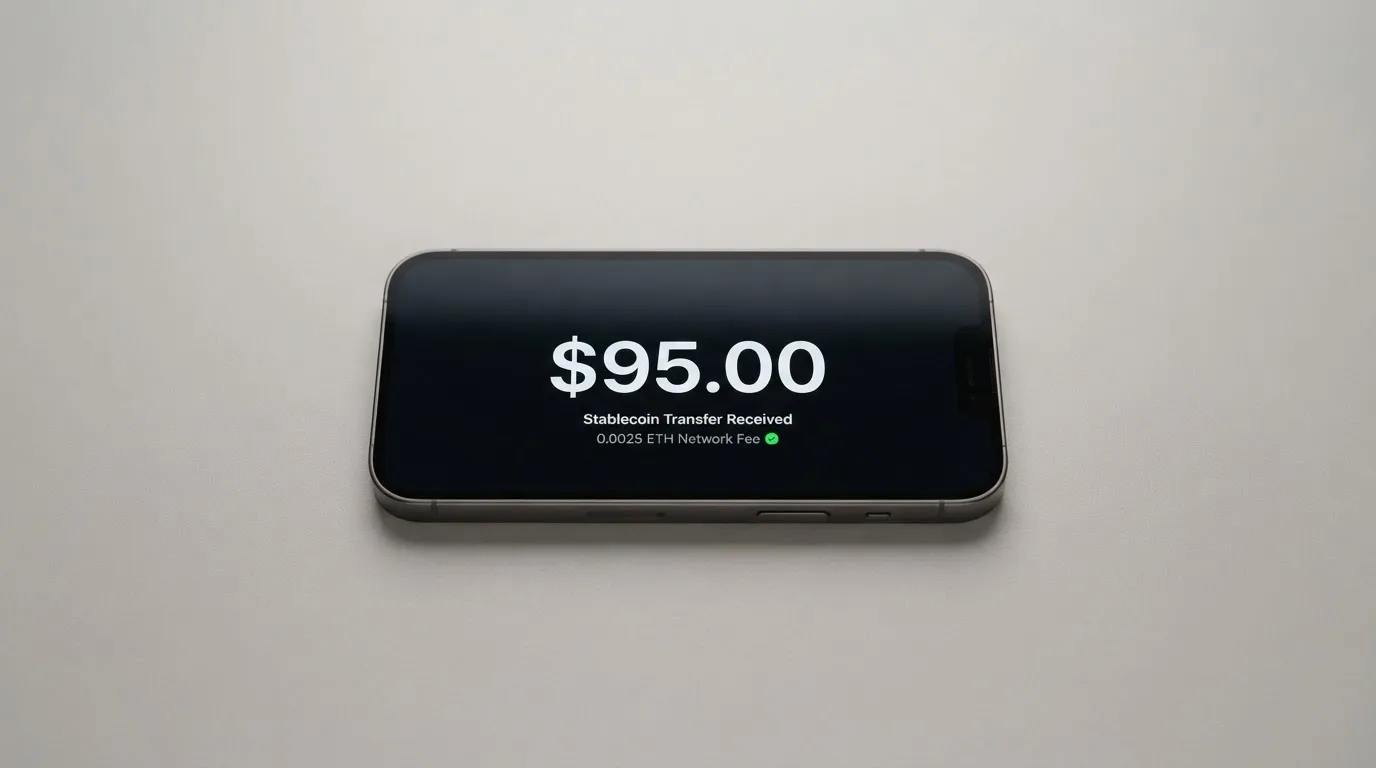
You send USDC or USDT on the Solana network, and there is no processing fee for those. Tokens from other networks are supported and converted into USDC, through a “Send to Spend” flow. The card spends only the balance you have deposited — there is no credit, which means the card cannot overdraw, which means an overdraft fee is not in your future.
The numbers around that:
- Minimum deposit $3, and $10 on Ethereum.
- Other networks cost at least $0.30 plus network gas.
- Up to 200,000 USDC per transfer.
- A one-time account creation cost if your Solana address has no USDC token account yet.
Fiat on-ramp through Noah. SEPA €0.87 + 0.10%; ACH $2.00 + 0.05%; Fedwire $20.00 + 0.05%; SWIFT $30.00 + 0.05%. These fees are taken out of the deposit, and if the deposit cannot cover them, they are not refunded. That last clause is the one to sit with: a small SEPA transfer can cost more in fixed fees than it does in the amount itself.
Getting money back out is more constrained than getting in, and this is where people are most often disappointed. Wallet withdrawal is Solana only, minimum 1.00, at 1 USDC/USDT = $1, takes 4 minutes, and not available on every card. Bank transfer out works by Fedwire, ACH, SEPA, SWIFT or local payout across 15 currencies including EUR, GBP, TRY and AED, with a fixed fee plus a percentage — and only USDC deposits can go to fiat. DCS cards do not yet support withdrawals. Off-ramp is restricted in some regions.
On closing the account: a Global ID cannot be deleted after verification. Closure goes through support.
The background section later explains the network mechanics behind some of these rules — why a deposit sent on the wrong network can be simply lost, and why sending tokens to a network the provider does not support is a support ticket at best.
Paying with it every day
Everyday use is the other 8, and it is earned by the small conveniences rather than the headline features.
Apple Pay and Google Pay are both supported with no Jupiter fee, though availability depends on what Apple and Google offer in your region. If either works for you, use it: a tokenised phone number is not the same thing as handing a shop a card number, and it avoids a class of problems described in the safety background below.
The app is the Jupiter app, Spend tab. One Global ID at a time. The search results for the Jupiter Mobile iOS app show 4.9 from about 2.1K ratings on the US App Store listing; I could not find a Google Play rating, which is itself a small data point about who this is for.
Restricted merchants are declined automatically: gambling, money transfers, securities brokers and certain high-risk merchants. That is a policy choice by the issuer rather than a legal rule, and it is the same category of restriction that appears across this whole industry. It also means the card is unusable for anything you might think of as ordinary if your life involves betting, remittances, or brokerage.
Disputes run on Visa chargeback protections. You can dispute a fraudulent charge or a purchase that was never delivered through the issuer — Rain or DCS, whichever you have. Merchant refunds and voids settle within up to seven business days.
Cashback is the reason many people will look twice. Base rate 2% on qualifying purchases, capped at $100 per month. Refer at least two qualifying people in a calendar month and it rises to 4% for the following month, with the cap rising to $200. The Claynosaurz card also earns 2% and shares the same $100 monthly cap across cards, and carries an FX rebate up to $100 per month until the end of 2026. What currency the cashback is paid in is not stated — which, given the rest of this section, is a question worth asking in the app before you plan around it.
One piece of history on the reward rates, from a third-party affiliate source (SpendNode, 16 October 2026), so not confirmed by the card: the card launched in January 2026; a 4% base cashback promotion and 5/8/10% referral tiers ended on 30 June 2026, with revised tiers from 1 July 2026; the welcome bonus was cut to $100 on 14 April 2026.
What can go wrong
No card-specific complaints surfaced. I looked, and what came back concerned Jupiter Money, a company in India that is a different business, plus unrelated firms. No official incidents found. That is a genuinely reassuring result and a limited one: an absence of complaints on a young product is also what you would expect on a product too new to have gone wrong often.
One user-reported data point about the wider platform rather than the card: Trustpilot jup.ag shows 3.1 out of 5 from 21 reviews (20 October 2026), with 62% one-star and only two reviews in the last twelve months. The themes are failed swaps and lost funds (April 2024, January to February 2025), high perpetual-futures fees (2024 to May 2025), and support links redirecting to Discord (January 2025). No card or KYC complaints are visible there, and a May 2026 review praises the card cashback. Read that as a platform score, not a card score — but the “support links redirect to Discord” theme is worth noting given the section below.
Who actually holds your money. The documentation says Jupiter does not take custody of wallet funds. Card balances are held by the issuing partners, Rain and DCS, and for Rain cards the deposits stay on-chain as collateral. One issuer is assigned per user: DCS for Australia, Japan, Malaysia, Philippines, Singapore, South Korea, Taiwan, Thailand and Vietnam; Rain for every other country. Jupiter itself names no legal entity in the documentation. Insurance and two-factor authentication are not covered in the docs, and I would want to know both before I parked meaningful money in the balance.
Freezing. You can freeze instantly in the app. DCS cards need a 6-digit SMS code to unfreeze — which is a real dependency on a phone number. A card frozen by Jupiter rather than by you can only be unfrozen by support.
Getting stuck. A declined transaction when the card is frozen may attract a fee. A declined authorisation may leave a hold that persists for up to seven days. Cash machines are unavailable on DCS cards and expensive on Rain ones. Withdrawals are not supported on DCS cards at all. Deposits sent on an unsupported network can be lost or need manual recovery with no guarantee.
The account cannot be deleted. A Global ID cannot be deleted after verification; closure goes through support in the app (Spend tab, the ⋯ menu, then Support — or Help & Support in your profile). For someone who wants to leave cleanly, that is a friction point rather than an emergency, but it is one.
The background section below sets out the general risks that apply to this whole category — irreversibility, depegging, and the fact that a card programme can be switched off by a network with no warning to the holder.
What to take instead
Three alternatives came up in my comparison, and none of them is a clean substitute. Here is how they actually differ.
| Jupiter Global | MetaMask | KAST | Zeal | |
|---|---|---|---|---|
| Score | 7.3 / 10 | 7.1 / 10 | 6.1 / 10 | 6.1 / 10 |
| Network | Visa | Mastercard | Visa (several tiers) | Visa |
| Cost | No annual fee; physical $13.13 + shipping | Virtual free; Metal $199/year | Standard $0, Premium $1,000/year, Private $10,000/year | Not stated |
| Cashback | 2% base, capped $100/month; 4% with referrals | 1% virtual, up to 3% metal | 1.5% / 2% / 3% by tier, on capped monthly spend | Up to 4% in GNO |
| Funding | USDC/USDT on Solana, other networks converted | Straight from wallet: Linea, Base, Monad, Solana | Stablecoins on Ethereum, Solana, Polygon, Arbitrum, TRON | Balances in a card safe on Gnosis Chain, Celo |
| ATM | Yes on Rain ($1 + 0.65%) | Not stated | Not stated | Gnosis Pay ATM fees may apply |
MetaMask (7.1 / 10) is the closest competitor on score. Sign-up is open in 45 listed countries and territories — Andorra, Argentina, Brazil, Canada, Mexico, Germany, France, Spain, Uruguay among them — with other regions on a waitlist, and proof of residency required. The framing line is a good one: ineligible regions limit sign-ups, not spending. It is a Mastercard, virtual first and instant, with Metal pre-orderable in the app at $199 a year and one card per user. Fees are described as a “minimal fee for each transaction” with no amount published on the pages I read, and no foreign transaction fee. It draws on up to nine tokens including mUSD, wETH, EURe, GBPe, USDC and USDT across Linea, Base, Monad and Solana — note that a Solana-only wallet cannot withdraw credit. Cashback is 1% on the virtual card, and for Metal the headline is 3% while the footnote caps 3% to the first $10,000 spent and then drops to 1%, with $FLY bonuses at 5X and 7X. US and UK sign-ups are temporarily closed per the FAQ.
KAST (6.1 / 10) is the most interesting if you value the fee schedule, and the most alarming if you misread it. Residence-based eligibility is shown at KYC, with the rule “if your country isn’t listed, it means KAST is not available there”, but the list itself is not published — only a Restricted Locations list is referenced with no countries named. Citizenship matters separately: living in a supported country while holding an ID from a restricted region may still fail KYC, dual citizens with an ID from a supported country may pass, and a VPN does not bypass it. An account can be created in an unsupported country with KYC left locked. Up to ten cards per user across Standard, Premium and Private, with stablecoin deposits converted 1:1 at 0% spread. Top-ups and USD spend are 0%, but non-USD FX is 0.5%–1.75% depending on your residence, transaction country and programme; non-USD transactions under 25 USD cost $0.10; a decline for insufficient balance costs $0.50; an inactivity fee of $1 a month starts after 12 months. Then the membership: Standard 0 USD, Premium 1,000 USD a year, Private 10,000 USD a year, billed annually upfront with no monthly option. Its terms also conflict with its own app, listing USDT and USDC as the acceptable tokens while the app shows PYUSD and RLUSD.
Zeal (6.1 / 10) is the thinnest document of the four. Spending is said to work in 150+ countries, issuance “depends on eligibility and regional availability”, and the card programme is live in the EU, UK, Brazil, Colombia, Mexico, Japan, Singapore, Philippines, Indonesia and Thailand. It is a Visa with a virtual card for online use, addable to Apple Pay, and accounts in EUR, USD and GBP. No fee schedule is published on the site or the App Store listing. Zeal charges no additional FX fee and converts at the Visa wholesale rate, though Gnosis Pay fees may still apply. Cashback is up to 4%, paid in GNO on Gnosis Chain, and you must hold GNO in the card safe to qualify; the App Store also advertises up to 5% variable APY on EUR/USD balances.
My read across the four: MetaMask if you want a card that spends directly from a self-custody wallet on more networks and you are willing to pre-order; KAST if you want published, granular fee controls and you can afford the membership tier; Zeal if Europe matters most to you and you are willing to ask them directly what the fees are. Jupiter Global remains the one with the cleanest top-up economics on Solana.
Who I would recommend it to
I would recommend it, without much hesitation, to four kinds of person.
If you already hold USDC on Solana and spend it rather than hoard it, the no-fee Solana deposit and 2% cashback is a genuinely good combination and there is little else that matches it on that specific path. If you are starting from a crypto balance with no ordinary bank card, this is a working answer to a real problem, and the country list plus case-by-case review is a real route rather than a rumour — provided you can document a supported residence.
If you travel or buy in non-dollar currencies and your account is on a Rain issuer, 1% is a good FX rate and better than most of what I have read in this category. And if you want Apple Pay and Google Pay from a crypto balance today, the virtual card is instant and the setup is straightforward.
I would not recommend it, or would push you towards an alternative first, if any of these are true. You need a physical card this week. You need cash machines. You are outside the listed countries and cannot prove an address in one that is listed. Your money lives on Ethereum and you move it often, because every deposit there carries more cost. You need to get money back to a bank in a currency other than dollars on a schedule. Or you are in the United States or the United Kingdom and want the MetaMask route instead.
Frequently asked questions
What is the Jupiter Global card?
It is a Visa payment card funded from a crypto balance rather than a bank account. You load USDC or USDT, the card spends only what you have deposited, and there is no credit line and no overdraft. It is issued through regulated financial partners rather than by Jupiter itself, with Rain and DCS handling different countries. The virtual version appears right after verification; the physical card is being rolled out in phases through the end of 2026.
How does the Jupiter Global card work?
You verify your identity once in the Jupiter app, receive a virtual Visa card, and deposit stablecoins into your balance. Payments draw that balance down in real time, and non-dollar payments are converted at the card’s FX rate. You can add the card to Apple Pay or Google Pay with no Jupiter fee. Because it is a preloaded balance rather than a debit card, it cannot overdraw — but it also cannot borrow.
Is Jupiter Global a bank?
No, and this distinction matters for how you think about your money. Jupiter names no legal entity in its documentation and states that it does not take custody of wallet funds. Card balances sit with the issuing partners, Rain and DCS; for Rain cards the deposits remain on-chain as collateral. Insurance and two-factor authentication are not covered in the docs, so ask before parking a large balance.
Who owns Jupiter Global card?
Jupiter is the brand and the app; it does not issue the cards itself. Cards are issued through regulated financial partners, with DCS covering Australia, Japan, Malaysia, the Philippines, Singapore, South Korea, Taiwan, Thailand and Vietnam, and Rain covering all other countries. One issuer is assigned per user. The underlying network is Visa, and the Claynosaurz co-brand is a Visa Platinum virtual card.
Is the Jupiter Global card available in my country?
Eligibility follows your country of residence, not your citizenship. The documentation lists around 52 countries including Brazil, Mexico, Japan, Singapore and the UAE, plus 30 US states, with Bangladesh and Nigeria paused. Russia, Georgia, Turkey, Serbia, Armenia and Kazakhstan are not listed. If your country is unlisted, applications are reviewed case by case during KYC and proof of address is usually required.
How do I get the Jupiter Global card?
Use the Jupiter app, complete identity verification, and your virtual card arrives. Verification usually takes a few minutes, or 3 to 5 working days if a manual review is needed. You must be 18 or over, proof of address is required in APAC and usually for unlisted countries, and Discord and X logins are not supported. One Global ID verification is active at a time.
How much does the Jupiter Global card cost?
There is no annual fee. The physical card costs $13.13 plus shipping, taken from your Spend balance, and the Claynosaurz virtual card costs $25. Virtual replacements are free while a physical replacement costs the same as the original. No monthly fee is stated, and card orders are non-refundable — which is worth remembering before you order one you cannot use.
What are the Jupiter Global card’s fees?
The FX fee is 1% on Rain cards or 1.8% on DCS cards for non-USD payments, and dollar payments are free. Rain cards allow ATM withdrawals at $1 plus 0.65%, with an extra $0.30 plus 1% in non-dollar currencies and $0.60 for a balance inquiry or decline; DCS cards have no ATM withdrawals for now. A deposit processing fee is shown per network in the app, and a frozen card used at a terminal may attract a declined-transaction fee.
How do I top up the Jupiter Global card?
Send USDC or USDT on Solana with no processing fee, or a supported token from another network and let it convert to USDC. The minimum deposit is $3, or $10 on Ethereum; other networks cost at least $0.30 plus network gas; and there is a possible one-time account creation cost if your Solana address lacks a USDC token account. You can also deposit fiat through Noah — SEPA, ACH, Fedwire or SWIFT — with those fees deducted from the deposit and not refunded if it cannot cover them.
Is the Jupiter Global card safe to use?
It behaves like a prepaid card, not a bank account, and Visa chargeback protections apply: you can dispute a fraudulent charge or undelivered purchase through Rain or DCS, with refunds settling within up to seven business days. You can freeze the card instantly in the app, though DCS cards need a 6-digit SMS code to unfreeze and a card frozen by Jupiter needs support. The real risks are that blockchain transfers are irreversible and that a card programme can be wound down by its issuer.
Wallet cards – cryptocardpedia.com
Content created by the «cryptocardpedia.com» team