
Tria card review: a tiered Visa that spends from a self-custody wallet
 Available in US
Tria is one of the more interesting cards in the current crop of crypto-to-Visa products, mostly because of the way it ties the card to a self-custody wallet and offers a free tier alongside paid ones. But the parts you can’t see from the marketing page — the issuer, the support hours, what happens to your wallet if you stop paying — matter just as much. I went through the help center, the in-app information and what little third-party reporting exists, and here’s what I found.
The conditions below are current as of October 28, 2026.
Verdict
Tria scores 7.3 out of 10. The card is well-suited to people who already hold a wide range of tokens in a self-custody wallet and want a tiered Visa that can spend that balance. It is less well-suited to anyone who needs a clearly identified, well-regulated bank behind their card, or who wants a fixed published fee schedule rather than prices that vary by region.
| Criterion | Mark | Why |
|---|---|---|
| Who can get it | 8/10 | The card is gated by country of residence, with a dropdown of 200+ regions; an unlisted country fails KYC |
| Cost | 7/10 | Lite is free, Pro $109/yr, Max $250/yr; Tria FX is 0% but third parties say up to 4% in practice |
| Top-up options | 9/10 | 1,000+ tokens across Bitcoin, Ethereum, Polygon, Base, Arbitrum, Optimism, BSC, Aptos and Solana |
| Reliability and complaints | 4/10 | The operator and issuer are not named on the public pages; Trustpilot is at 3.4 from only 2 reviews |
| Everyday use | 9/10 | Lite is digital, Pro is plastic, Max is metal, and Apple Pay/Google Pay are available where supported |
The big tension in Tria is between what it offers in the wallet (a lot of tokens, many networks, self-custody) and what it doesn’t show you about itself (no named issuer, no published fee table, no support channels). I’ll walk through what I checked and what I’d verify before signing up.
Who will they give you the card
Tria’s access rule is based on country of residence, not citizenship. Your ID documents have to match the country you select in the app, and you have to be physically there when you sign up. The app’s dropdown lists more than 200 regions, including Australia, Canada, Germany, Hong Kong, the UAE, the UK and the US, so the practical effect for most people is that the card is available somewhere — the issue is which country the system will let you pick. If you choose a country that isn’t in the list, KYC fails.
A few things aren’t stated on the public pages and matter if you’re on the edge of eligibility: citizenship isn’t addressed, you can only have one account per person, and physical cards are only shipped to countries where shipping is officially enabled (which the card pages don’t enumerate). The mobile app is required for identity verification — desktop isn’t supported — and you’ll need a valid ID document, a selfie, and to be at least 18.
The official reasons KYC can fail are: a duplicate account (same documents or phone number), incorrect or incomplete data, suspected PEP or sanctions exposure, missing documents, photos that are unverifiable, poor or mismatching, an unsupported ID type, or a mismatch between the country you selected and where you actually are. Using a VPN during sign-up leads to a decline. Specific document types and proof of address aren’t listed on the help center page I read; a “KYC Document Requirements” article is referenced but not detailed on the same page.
If any of this is uncertain for you, the practical check before anything else is: open the app, see whether your country is in the dropdown, and don’t use a VPN.
How to get it
You buy the card through Tria’s mobile app, then complete KYC. The flow is one-time — there are no levels, and the help center doesn’t publish a processing time. After verification you get a card that matches the tier you bought: a digital Lite, a plastic PVC Pro, or a metal Max. Pro and Max include a Lite as well.
A few things to know about the card itself before you commit:
- Network: Visa. Conversion to local currency (USD or EUR) happens at the moment of payment.
- Lite: digital only — no plastic, no metal.
- Pro: PVC plastic card, plus a Lite.
- Max: metal card, plus a Lite.
Apple Pay and Google Pay are supported where the wallet and the region allow it. The card number and CVV are hidden in the app behind an eye icon and a biometric check.
Physical delivery is where it gets less tidy. Physical cards ship in batches, with earlier buyers getting theirs first, and only to countries where shipping is officially enabled. The help center doesn’t give a delivery time, a cost, or a list of supported shipping countries. Replacement of a physical Pro or Max is described as “still pending” in the help center, and replacement promo codes are “currently unavailable”. A Lite (digital) card, on the other hand, can be reissued up to three times.
The most honest summary: signing up is straightforward if your country is in the list and your documents match, but if you need a physical card, the delivery situation is the part with the most unknowns.
Fees: what it really costs
Tria has three membership tiers. The official help center tells you to “check the Membership section in the app” for prices, because they vary by region. A third-party article (unofficial, not confirmed by Tria) lists renewal at $109/year for Pro and $250/year for Max, with first-year promotional prices of $90 (Pro) and $225 (Max); Lite is free ($0) and renews at $0. The same third-party source lists Lite at $20 a year, which directly contradicts the official $0 figure — I would not rely on the $20 number, and the official app is the source of truth at signup.

For everyday spending, the published cost story is: Tria charges no service fee on card deposits “at this time” (provider fees, like swap and bridging, can still apply), and Tria’s own FX fee is zero for members, with Tria saying travel-related fees stay under 1%. The catch is that Visa’s own FX fee can still apply on foreign-currency transactions, and at least one third-party review site puts the total effective FX cost at up to 4% (3% FX plus 1% international). That number is unofficial and I would treat it as a worst case to budget for, not as the headline.
| Fee or limit | Amount |
|---|---|
| Issuance | Tier-based: Lite $0, Pro ~$90–$109/yr, Max ~$225–$250/yr (varies by region; shown in app) |
| Monthly fee | None beyond the annual membership |
| Conversion | Tria FX fee 0% for members; Visa FX may apply |
| FX (third-party claim, unofficial) | Up to 4% total (3% FX + 1% international) |
| ATM withdrawal | Pro/Max: $1.00 + 1%; $750 per transaction, 3 per 24 hours; Lite: no ATM access |
| Daily spend | “Up to millions per day” — no exact figure published |
| Cashback spend cap | $1,000/month on Lite and Pro; $2,000/month on Max |
A few everyday scenarios to make those numbers concrete:
Buying a €40 lunch in a country that uses euros, paid from a USDC balance. Tria converts USDC to EUR at payment. The Tria-side FX fee is 0%. If Visa applies its own FX margin, the cost is whatever Visa charges (and potentially an extra international fee on top, per the unofficial source). There is no Tria service fee on the deposit that funded the balance.
Withdrawing the local equivalent of $200 from an ATM on a Pro or Max card. Tria charges $1.00 + 1%, so $1.00 + $2.00 = $3.00 on top of whatever the ATM owner charges. The transaction is capped at $750, and you can do at most three withdrawals in 24 hours. Lite holders can’t use ATMs at all.
Renewing a Pro membership after the first year. The unofficial figure is $109. The official help center simply says check the app. If you don’t renew, the card isn’t cancelled — it keeps its number — but your account drops to Lite and any enhanced cashback rate is removed.
The cost story I would take away: Tria’s own published fees are thin (free Lite, 0% Tria FX, modest ATM fees), but the published total — especially on FX — is incomplete. The third-party 4% figure is the number to budget for until you’ve checked the app yourself.
Top up: how to fund the card
Funding is one of Tria’s strong points. The card tops up from a Tria Wallet (which is self-custodial) and supports 1,000+ tokens, plus external wallets like Gemini and MiniPay. You can also buy crypto with a credit or debit card and load it that way.
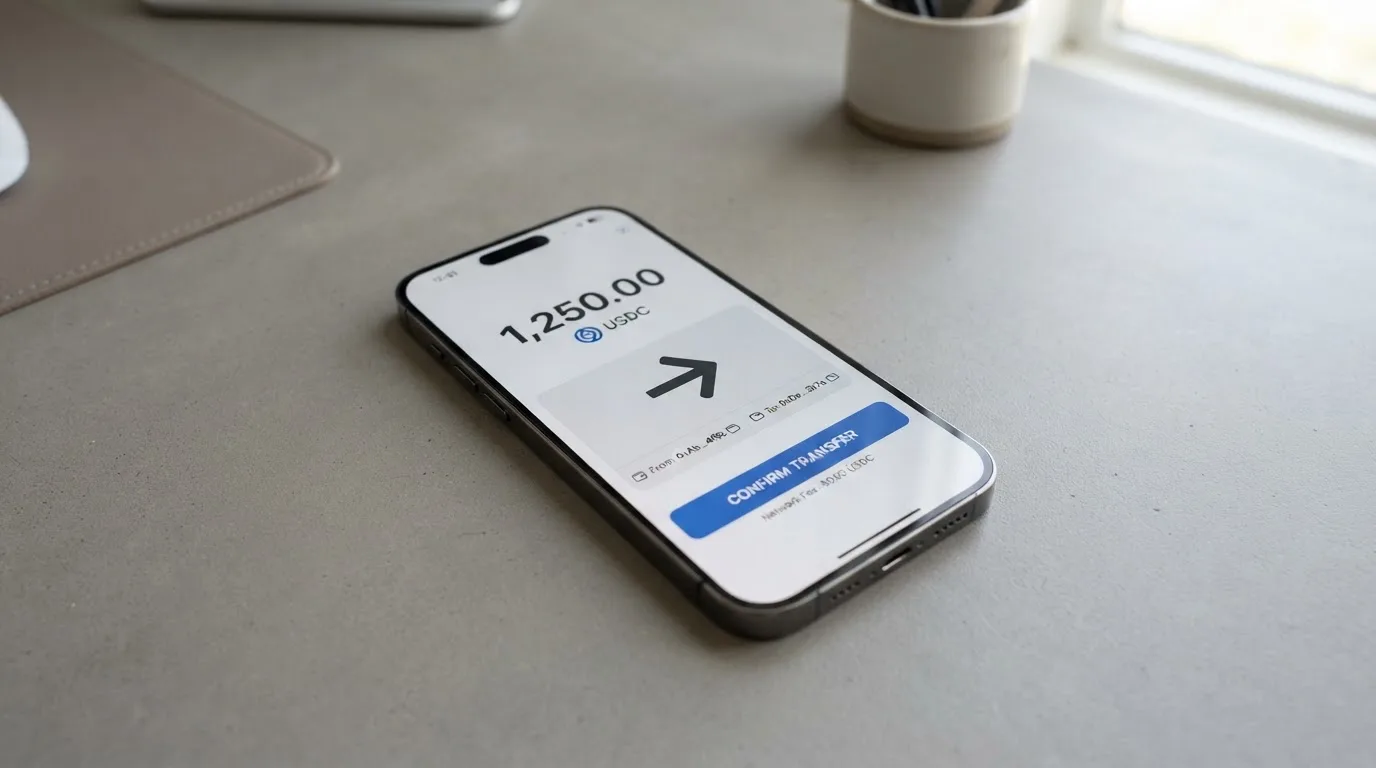
Networks supported for top-up are: Bitcoin, Ethereum, Polygon, Base, Arbitrum, Optimism, BSC, Aptos and Solana. Avalanche is not supported for card top-ups. SOL itself isn’t directly supported — it has to be converted first. USDC and USDT work on most of the L2s plus Solana.
Minimums: BTC has a $50 minimum; every other token is $10.
Network fees: most chains are gasless from the user’s side. Solana needs native SOL for fees, and Tron charges a network fee that has to be paid in TRX. These aren’t Tria fees — they’re the underlying blockchain’s.
Speed: top-ups are usually instant, but in congestion they can take 2–4 hours. Tria charges no direct fee on deposits “at this time”, but a “Provider Fee” (covering swaps, liquidity routing and bridging) is shown in the app before you confirm. The cheapest paths in practice are USDC and USDT on L2s like Optimism, Arbitrum, Base and Polygon.
A practical warning that the help center doesn’t shout about: if you send funds on a network Tria doesn’t support, or to an address of a different network, the transfer is generally irreversible. There’s no guarantee manual support can recover it.
A small but useful detail: your wallet is self-custodial, so renewing or downgrading the membership doesn’t affect the wallet itself or the funds in it. The card’s number also stays active if you stop renewing. What isn’t stated is how to withdraw a card balance back out to crypto or to a bank, or what happens to balances at account closure.
Paying with it every day
In normal use, Tria behaves like a regular Visa. The card links to Apple Pay or Google Pay where those wallets support it. The card number and CVV are hidden in the app until you tap to reveal them, and revealing them requires a biometric check. You can freeze the physical card in the app; the help center doesn’t say whether the digital Lite can be frozen, which I’d treat as a gap.
Cashback is the main reward, and it scales with tier: Lite gets the basic rate, Pro gets more, Max gets the most. Exact percentages and the payout currency aren’t stated on the public pages — they show in the app. Cashback is capped at $1,000 of eligible spend per month on Lite and Pro, and $2,000 per month on Max. A third-party source (unofficial) says Lite pays 1.5% in USDC or USDT on the first $1,000 of monthly spend, paid quarterly in batches, with any unpaid cashback forfeited on account closure; Pro and Max rates weren’t found by that source.
Blocked merchant categories aren’t listed in the help center. If a particular type of spend matters to you (gambling, crypto purchases, adult content), you’d need to test in practice or contact support.
Mobile app: required for KYC, and the only place to manage the card. App Store and Google Play ratings aren’t published in the help center, and I didn’t find them on the official pages.
Disputes and refunds: if a transaction doesn’t go through, Tria’s advice is to ask the merchant to confirm a refund has been started. Refunds usually arrive within 14 business days after the merchant processes them, but Visa processing can stretch that to 31 business days. If two weeks pass with nothing, Tria says contact support with the refund transaction ID. The formal chargeback / dispute process isn’t described on the help center pages I read.
A few things Tria doesn’t publish that I would want to know before relying on the card day-to-day: 2FA, spending controls, and any insurance or purchase protection.
Risks and complaints
The honest assessment of the risk picture has three layers: what the company tells you, what third parties have written, and what’s simply missing.
The company and the issuer are not named on the public pages. The help center doesn’t say who operates Tria or who issues the Visa. A third-party site (unofficial) names the issuer as Nimbus, LLC; Tria’s operating company is still not identified even there. If you care about who is actually behind the card — for regulatory, deposit-protection or counterparty reasons — that’s a meaningful gap.
The Trustpilot profile is thin and unclaimed. As of 20 October 2026, it has a 3.4 rating from only two reviews. One is a five-star from March 2026; the other is a one-star from January 2026 that asks, in effect, whether the company is legitimate. Two data points are not a track record, and the profile being unclaimed means Tria hasn’t responded to either.
The “0% FX” framing has been called out. Tria itself says 0% on its own fee and that travel-related fees stay under 1%, but a third-party review (unverified) calls that marketing misleading because Visa’s FX margin and an international fee can push the real number to around 3% to 4%. Until you check the in-app disclosure, I’d plan for the higher number.
Support is in-app, and that’s about all that’s said. The help center describes in-app support for KYC questions. Email, Telegram, support hours and response times aren’t listed. Help center content is available in English, Japanese and Spanish.
Security features that are stated: self-custodial wallet, card number and CVV hidden until revealed with a biometric check, PIN reset in card Details, and the ability to freeze the physical card. Features that aren’t stated: whether the digital Lite can be frozen, whether 2FA is enforced, spending controls, and any form of insurance.
No recent news. The official pages don’t carry a news section, and I didn’t find dated events on the help center beyond a “Season 3 Rewards” guide and the Tria Futures/Earn collections. No App Store or Reddit data was found during my research.
Refunds and disputes have long timelines. Refunds can take up to 14 business days after the merchant processes them, and up to 31 business days once Visa’s processing is in the loop. With crypto-funded balances, that delay is also delay on assets that may have moved in price.
The pattern across these risks is consistent: Tria’s wallet and product features are well described, but the corporate and customer-service layer is opaque. For a user who values transparency about who holds their money, that’s the part that hurts the most.
What to take instead
Tria isn’t the only option, and the alternatives differ along three axes: who can get the card, how the card is funded, and what the rewards look like. Here’s a quick comparison.
| Card | Score | Issuer | Cost | Cashback headline | Funding model |
|---|---|---|---|---|---|
| Tria | 7.3 | Not named on public pages | Lite $0; Pro ~$90–$109/yr; Max ~$225–$250/yr | Tier-based, exact % in app | Self-custody wallet, 1,000+ tokens, multiple networks |
| MetaMask Card | 7.1 | Monovate (Crypto Life) | Virtual free; Metal $199/yr | Virtual 1%; Metal 3% on first $10,000 then 1% (mUSD) | Spends directly from connected wallet; Linea, Base, Monad, Solana |
| KAST | 6.1 | Not named here | Standard $0; Premium $1,000/yr; Private $10,000/yr | Standard 1.5%; Premium 2%; Private 3% (USD) on tiered caps | USD balance funded by USDT/USDC/PYUSD/RLUSD on multiple chains |
| Zeal | 6.1 | Gnosis Pay ecosystem | Not published | Up to 4% in GNO on Gnosis Chain | EUR/USD/GBP stablecoin balances in a card Safe |
A few notes on each, in case you’re choosing:
MetaMask Card is the closest analogue in spirit — a self-custody wallet with a card. It’s open in 45 listed countries and territories, with a waitlist elsewhere. Proof of residency is required, and US/UK sign-ups are temporarily closed per the FAQ. Virtual card is free; the Metal tier is $199 a year. Cashback is paid in mUSD (MetaMask’s stablecoin), and there’s a dining-app bonus on top. One card per user; the Metal pre-orders after Virtual approval.
KAST is the high-end of the group. It offers up to 10 cards per user, multi-currency balances, and three tiers (Standard, Premium, Private) that go from $0 to $10,000 per year. Cashback is paid in USD straight after the transaction, and the FX fee on non-USD spending is 0.5%–1.75% depending on country and card programme. KAST is stricter about country: the KYC page shows your eligibility directly, and you can’t pass KYC if you hold an ID from a restricted region even if you live in a supported country. VPN won’t bypass the check.
Zeal sits inside the Gnosis Pay ecosystem. Spend is allowed in 150+ countries, but card issuance is regional and the live programme list (EU, UK, Brazil, Colombia, Mexico, Japan, Singapore, Philippines, Indonesia, Thailand) is what determines whether you can actually get the card. Rewards are paid in GNO on Gnosis Chain, and you have to hold GNO in the card Safe to qualify. The fee schedule isn’t published on Zeal’s site or app store listing.
If you want the broadest token support across many networks and a self-custody wallet, Tria is the most direct fit. If you want a published fee schedule and clearer corporate disclosure, the alternatives won’t fully solve that either, but MetaMask and KAST publish more of the basics. If you want the most generous flat cashback and don’t mind paying for the upper tier, KAST is the strongest. If you want a stablecoin-native card with a published BIN, Gnosis Pay (Zeal’s underlying programme) has the most public technical documentation.
Who I would recommend it to
I’d recommend Tria to someone who:
- Lives in a country that’s in the in-app dropdown, plans to use the card mostly in that country, and isn’t relying on physical card shipping to a country where shipping isn’t yet enabled.
- Already holds a diverse bag of tokens — including some on the L2s like Optimism, Arbitrum, Base and Polygon — and would rather top up a card from a self-custody wallet than from an exchange.
- Is comfortable with the FX math: that “0% Tria FX” is not the same as “0% all-in”, and that the actual cost on a foreign-currency payment depends on what Visa adds.
- Doesn’t need a corporate back-story in writing. If your decision depends on knowing the issuer and the operating company, Tria’s public pages won’t give you enough to go on.
- Is okay with cashback rates and cashback currencies being shown in-app rather than on a marketing page.
I’d steer someone else toward a different option if:
- Their country of residence is the question. Tria’s rule is by residence, and the help center doesn’t enumerate citizenship treatment or fully list which countries have physical shipping enabled. If you’re on the edge, the alternatives (MetaMask, KAST, Zeal) have clearer public country language.
- They need to withdraw the card balance back to a bank or to crypto. That flow isn’t described on the public pages.
- They need formal chargeback language. Tria’s help center covers merchant-initiated refunds but doesn’t lay out the dispute process.
- The 4% unofficial FX figure would meaningfully change their economics. Anyone doing a lot of non-USD spending should test the in-app disclosure before committing.
The honest summary is that Tria’s product engineering is the strong part (1,000+ tokens, self-custody, multiple tiers, Apple/Google Pay), and the trust-and-disclosure part is the weak one (no named issuer, two Trustpilot reviews, no public support channels). If you’re the kind of person who can live with that asymmetry, the card does what it says. If you can’t, the alternatives have a different mix of trade-offs, and none of them fully solve the corporate-disclosure problem either.
Frequently asked questions
What is the Tria card?
Tria is a Visa card that spends from a self-custody crypto wallet. There are three tiers: a free digital Lite, a paid Pro on plastic, and a paid Max on metal; Pro and Max include a Lite. At payment, the balance is converted to the local currency (USD or EUR). The card is operated through Tria’s mobile app, which is also where identity verification happens.
How does the Tria card work?
You fund a Tria Wallet with crypto (or buy crypto inside the app with a card), then top up the card from that wallet. When you pay, Tria converts the balance to the local currency at the network rate. Tria’s own FX fee is 0% for members, though Visa’s FX margin may still apply. The card works at any merchant that accepts Visa, and can be added to Apple Pay or Google Pay where supported.
Is Tria a bank?
No. Tria is a card programme; the help center doesn’t name the operator or the Visa issuer on its public pages, and a third-party source (unofficial) lists the issuer as Nimbus, LLC. Card funds are not bank deposits, and there’s no indication that any deposit guarantee scheme applies to balances held with the card.
Who owns Tria?
Tria’s operating company isn’t identified on the official help center. A third-party article (unofficial) names the card issuer as Nimbus, LLC but does not name the operating entity behind the Tria brand. Until Tria publishes this on its own pages, treat the company structure as unconfirmed.
Is the Tria card available in my country?
It depends on whether your country of residence is in the in-app dropdown. The dropdown lists 200+ regions, including Australia, Canada, Germany, Hong Kong, the UAE, the UK and the US; if your country isn’t there, KYC fails. Physical cards are only shipped to countries where shipping has been officially enabled, and that list isn’t published. The rule is by residence, not citizenship.
How do I get a Tria card?
You download the Tria mobile app, buy a tier (Lite is free, Pro and Max are paid), and complete one-time KYC with a valid ID, a selfie, and personal details. Verification is in-app only — desktop isn’t supported. After approval, the Lite is available immediately; physical Pro and Max cards ship in batches, with earlier buyers first.
Does the Tria card require KYC?
Yes. You submit a valid ID document and a selfie, and Tria verifies them in the app. Common reasons for failure are mismatched data, unsupported ID types, suspected PEP or sanctions exposure, photo quality, duplicate accounts, and a country mismatch (including using a VPN). The help center doesn’t list which specific document types are accepted; a referenced “KYC Document Requirements” article carries the details.
How do I add the Tria card to Apple Wallet or Google Pay?
You can add the card to Apple Pay or Google Pay from the Tria app where the wallet and the region support it. The card number and CVV stay hidden in the app until you reveal them with the eye icon and a biometric check. Whether a particular wallet-region combination supports tokenisation isn’t stated on the help center; in practice, you add the card from the app and the wallet app tells you if it works.
How do I top up the Tria card?
You send crypto from a Tria Wallet or a supported external wallet (Gemini, MiniPay) to the card’s top-up address. The minimum is $50 for BTC and $10 for other tokens. Supported networks are Bitcoin, Ethereum, Polygon, Base, Arbitrum, Optimism, BSC, Aptos and Solana; Avalanche isn’t supported, and SOL has to be converted first. Most chains are gasless from the user side, except Solana (which needs native SOL) and Tron (which needs TRX for fees).
Is the Tria card worth it?
It depends on what you compare it to. Against the field, Tria’s strengths are its 1,000+ token support, multi-network top-ups, self-custody wallet, and a free tier. Its weaknesses are the unnamed issuer, the thin public fee schedule, the “0% FX” framing that third parties say understates the real cost, and the very small public review footprint. If those weaknesses don’t matter to you, the card is competitive; if they do, MetaMask Card, KAST or Zeal are the most natural alternatives to look at next.
Wallet cards – cryptocardpedia.com
Content created by the «cryptocardpedia.com» team