
A prepaid crypto card with real gaps: no physical card, no phone wallets yet, and prices that disagree with themselves
 Available in US
LinkPay looks, at first glance, like a simple answer to a simple problem: you load crypto into a wallet, the platform converts it, and you spend the resulting balance on an ordinary Visa or Mastercard number at an ordinary shop. That much is real, and for some people it is enough. But under the surface there are gaps that matter more here than in most cards of this kind, and the honest version of this review is shorter than the marketing page: the card is virtual only, it is funded only by crypto, Apple Pay and Google Pay are not working yet, and the prices printed on the marketing site do not match the prices in the service’s own Terms of Service. On top of that, the company that operates it does not name the bank that actually issues the cards, and the public complaint record is thin but not encouraging.
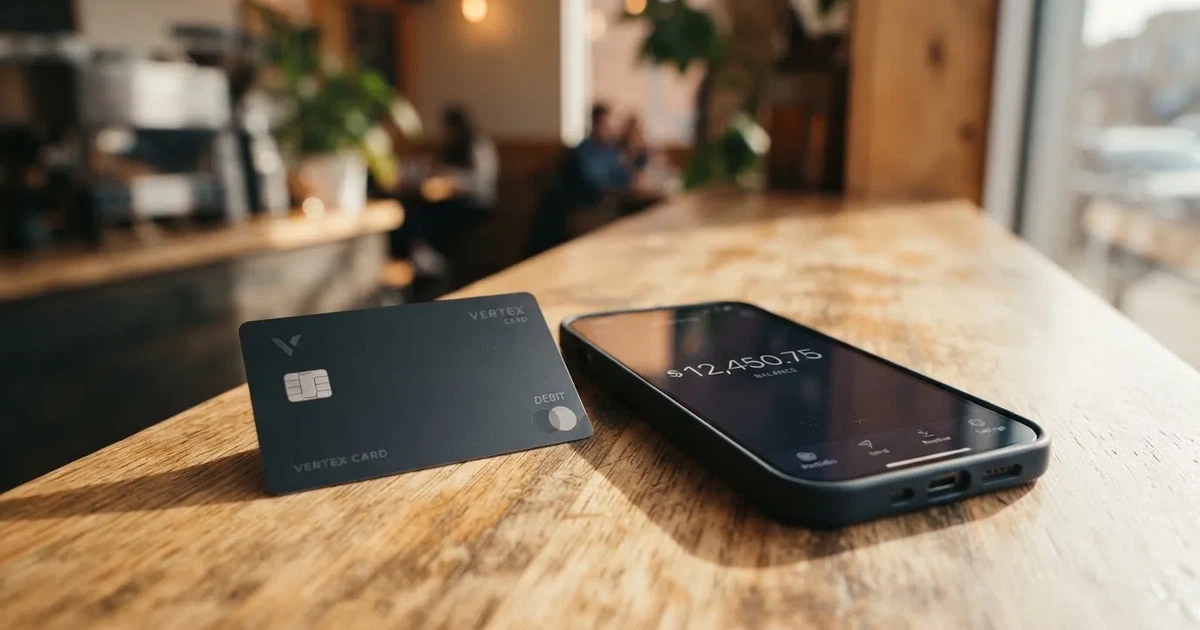
I gave it 5.0 out of 10. That is not a dismissal. It is what a genuinely mixed card scores: strong on who can open it, middling on funding, weak on cost clarity, weak on reliability and very weak on everyday use.
The conditions described below are current as of October 28, 2026.
Verdict: 5.0 / 10
| Criterion | Mark | Why |
|---|---|---|
| Who can get it | 9 / 10 | Not officially stated on the page I read; unofficial sources say 168 countries available, 28 restricted, and the service is officially closed in 27 countries |
| Cost | 3 / 10 | Lite is free, Plus 59 dollars a month, Pro 179, Ultra 209; payment fee on Lite is 2% with a 2 dollar minimum; site and terms disagree |
| Top-up options | 7 / 10 | Crypto only, 7+ currencies; unofficial sources name BTC and USDT and mention TRC20 and BTC networks |
| Reliability and complaints | 3 / 10 | Issuer not named, MSB registration in Canada; complaints about frozen cards and withdrawals “processing” for 4+ weeks, Trustpilot 2/5 |
| Everyday use | 2 / 10 | Virtual cards only; Apple Pay and Google Pay promised “soon”; no ATM |
Who this suits: someone who already holds crypto, has no access to an ordinary bank card, pays mainly online, and is comfortable with a custodial balance and a support desk that answers in Telegram. That combination is narrower than it sounds, and it is worth saying that the card’s own audience note points at advertisers who need many virtual cards in bulk — a business use case, not a personal banking replacement.
Who it does not suit: anyone who needs a physical card, a phone wallet, cash from an ATM, a fee they can read once and rely on, or an answer to “who issued my card”. It also does not suit anyone who expects their funds to behave like money in a bank account. They are a balance inside someone else’s platform, and the platform’s own terms allow that balance to be frozen during an investigation without notice.
My advice, stated plainly: read the Terms of Service before you load anything, and keep only what you can afford to have unavailable for a month on the platform.
Will they give you the card?
The card’s public pages do not state the eligibility criteria — the page links to a “Certain Countries” page that I have not read. So what follows comes from the Terms and from third-party sources, and the two disagree in a way you should notice rather than smooth over.
Officially, the service is not provided in 27 listed countries, including the Russian Federation and Belarus, and also Hong Kong, United States, Ukraine, Iran, Cuba, Syria and North Korea, among others. The company describes that list as not exhaustive, which is a warning rather than a reassurance: it means the exclusions are open-ended. The Terms go further and bar both residents and citizens of the listed countries, and separately state that US citizens, permanent residents and US entities cannot open accounts. If you hold a passport from one of those countries but live elsewhere, the citizenship clause is the one that bites.
Unofficial sources — a card directory, not the company — say the service is available in 168 countries and restricted in 28, with Russia listed as restricted as of 11 August 2026. One detail from that source is worth your attention rather than dismissal: China appears on a map but not in the accompanying text. When a directory’s map and its prose disagree, the map is decoration.
So the answer to “will they give you the card” is: probably yes if you are an adult outside the closed list, but the honest reason it scores well is breadth, not clarity. What the card does not publish is any statement about the onboarding criteria itself, so you cannot pre-qualify yourself before applying.
How to get it
There is no detailed signup walkthrough on the public pages — the page links to an Anti Money Laundering document I have not read. What it does publish, clearly enough, is a three-tier verification ladder, and this is the single most useful thing on the card’s site because it tells you what you get for what you give up.
| Tier | What you provide | Monthly spend | What you lose |
|---|---|---|---|
| No verification | Nothing | 500 dollars | Advertising cards only |
| Basic | Full name, address, ID details | 2,000 dollars | All cards except Apple Pay and Google Pay |
| Unlimited | Valid ID photo and a live check | No stated spend or card-type limits | Nothing stated |
Verification is said to be completed within 24 hours but can take longer. Rejected documents can be escalated to manual review, and the only official reason given for rejection is having “valid documents with clear photos” — which is not a reason, it is a standard. If your papers are clean and you are still refused, you have no published appeal route.
The card itself is a virtual card described as a “Virtual card for all purchases”. Network and currency are not stated on the page; unofficial sources say cards are issued on Visa or Mastercard networks. There is no physical card on offer, and therefore nothing about delivery — you are not waiting for plastic, because plastic is not part of the product.
One structural point worth understanding before you apply, because it explains a lot of what you will read later in this review. Cards work because the leading digits of the card number identify the institution that issued it — a six- or eight-digit issuer identification number, followed by an account identifier and a check digit. Merchants can look that number up and see which institution and country issued the card, and some apply extra scrutiny when the issuer country differs from your billing address. That is the general reason a card issued in one country can look “foreign” to a shop in another, and it applies to any crypto card, including this one. LinkPay itself does not publish which institution issues its cards.
Fees: what it really costs
This is the section where I have to be bluntest. LinkPay publishes one set of numbers on its marketing pages and a different set in its Terms of Service, and the two cannot both be right. I have put both side by side below rather than picking the one I would prefer.
Marketing pages:
| Item | Lite | Plus | Pro | Ultra |
|---|---|---|---|---|
| Plan price | Free | 59 dollars/month | 179 dollars/month | 209 dollars/month |
| Free cards per month | 0 | 5 | 15 | 79 |
| Transaction fee | 2% (min 2 dollars) | 1.5% (min 1 dollar) | 1% (min 0) | 1% (min 0) |
| Decline fee | 2% | 1.5% | 1% | 1% |
| Deposit fee | 1% | 0.75% | Free | Free |
| Withdrawal fee | 3% (min 5 dollars) | 3% (min 5 dollars) | 2% (min 2 dollars) | 1% (min 1 dollar) |
Terms of Service:
| Item | Lite | Plus | Pro | Ultra |
|---|---|---|---|---|
| Plan price | Free | 59 dollars/month | 179 dollars/month | 299 dollars/month |
| Free cards per month | 0 | 5 | 15 | 100 |
| Transaction fee | 2% (min 2 dollars) | 1.5% (min 1 dollar) | 1% | 1% |
| Decline fee | 0.5% | 0.5% | 0.3% | Free |
| Deposit fee | 1% | 0.75% | 0.5% | Free |
| Withdrawal fee | Free on all plans | Free on all plans | Free on all plans | Free on all plans |
So: Ultra is 209 dollars a month on the homepage and 299 dollars a month in the terms, with 79 free cards on one page and 100 in the other. Withdrawals cost up to 3% with a 5 dollar minimum on the homepage and are free in the terms. Cashback is 2% in the headline and 2% for Ultra on the homepage, while the terms add a 1% Pro rate with a per-billing-cycle cap (179 dollars Pro, 299 dollars Ultra). A customer service representative will have to guess which column applies, and a representative guessing is a cost you pay in money you cannot recover.
Other cost lines, for completeness:
- ATM: not stated, and not applicable — there are no physical cards.
- Per-card issuance on Lite: not stated. Since Lite gives you zero free cards, this is the number that actually determines Lite’s usefulness, and it is the one number a prospective Lite customer most needs.
- Foreign exchange fee: not stated.
- Card currency: the FAQ says USD cards are “planned to release soon” and names no other currency. So there is no second currency today, and the FX fee that would apply to one is equally unpublished.
Now, three everyday payments, and what each would actually cost you. These are illustrations built from the published fee rows above, not quotes — I have deliberately not done any arithmetic beyond applying the stated percentages to a round amount.
A 20 dollar grocery shop on Lite. The transaction fee is 2% with a 2 dollar minimum. On a 20 dollar basket the percentage component is below the floor, so the minimum governs: you pay 2 dollars on a 20 dollar purchase. That is a ten percent effective surcharge, produced entirely by the floor. On smaller amounts it gets worse proportionally; on larger ones it settles to 2%.
The same 20 dollar shop on Pro. The transaction fee is 1% with no minimum stated, and Pro costs 179 dollars a month. Unless you spend a very large amount each month, the plan fee is the dominant cost by an order of magnitude. The plan tiers are not a discount curve; they are a shape for people who process many payments or need many card numbers.
A declined payment. On the homepage every plan carries a decline fee between 1% and 2%. In the terms the same lines read 0.5%, 0.5%, 0.3% and free. A declined payment is one of the moments where a fee is most annoying and least expected, and this is precisely the row where the two published versions diverge most.
One more thing about the tier structure, since it changes how you read the table: freeze and unfreeze are available only on subscription or custom plans. On the free Lite plan, a frozen card may have no self-service path back.
Top up: how the balance gets there
Crypto only. The site advertises “deposit options for 7+ digital currencies” and does not name the coins or the networks on the page; unofficial sources name BTC and USDT and mention TRC20 and Bitcoin networks, and say there is no bank transfer. Fiat funding and on-ramp are described as “planned” — that is, not available.
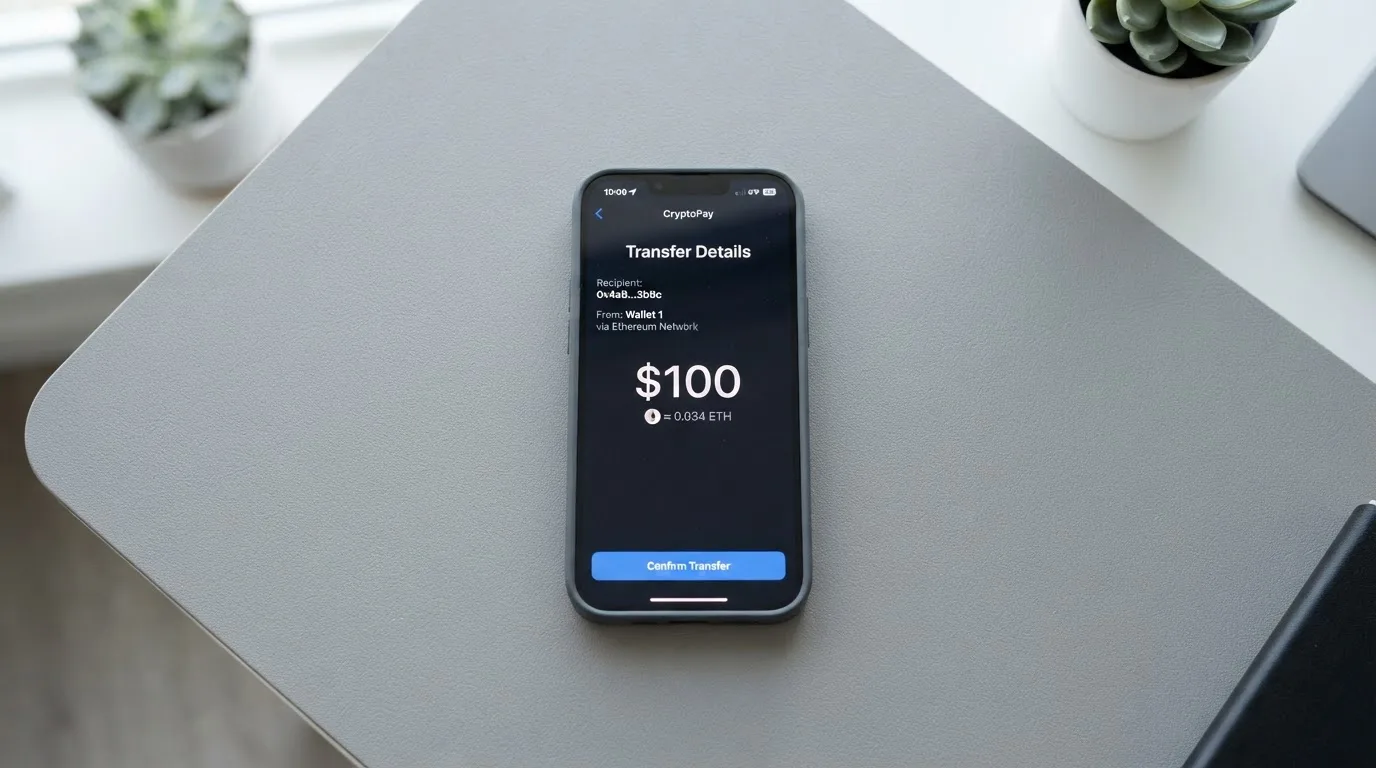
Here is the practical shape of a top-up:
- Minimum. The activation minimum is shown in your dashboard before the card is issued, “usually around 15 dollars”. Below that minimum, issuance simply fails.
- Confirmations. 20 for TRC20, from 4 for BTC. This is the wait between sending and being credited, and it is a wait you cannot shorten.
- Deposit fee. 1% / 0.75% / free / free per the homepage; 1% / 0.75% / 0.5% / free per the terms. Pro is the tier where the two versions cost you real money.
- Network fee payer. Not stated. This matters more than it sounds: on-chain network fees are charged by the blockchain, not by the card provider, and if the answer here is “you”, that cost comes out of your deposit before it becomes spendable balance.
Two network facts that decide whether your coins actually arrive. Circle stopped supporting USDC on Tron in February 2024, so “USDC over TRC20” is not a native option — if you hold that pair and send it, you are relying on a converted or wrapped route, and converted tokens are not the same claim as the native asset. Second, blockchain transfers are irreversible: a deposit sent on a network the provider does not support, or to an address belonging to a different network, can be lost or need manual recovery with no guarantee attached.
Withdrawals have their own contradictions. The Terms say they are requested from the Wallet, processed “during 10 working days”, with the fee “free on all plans” — against homepage fees of 3%, 3%, 2% and 1%. Cashback cannot be withdrawn to a bank. On closure, remaining funds are sent to payment details you specify, minus fees. Records are kept five years. You cannot withdraw from the platform directly onto a LinkPay card, though there is an internal peer-to-peer transfer by recipient email.
The last line is the one I would flag hardest for anyone planning to use this with a small amount: if the closure clause is ever triggered, the money leaves minus fees, to details you supplied earlier, on someone else’s timeline. That is a materially different risk profile from a bank balance, and the difference is the whole point of reading this section.
Paying with it every day
The honest summary: it is a virtual card number you enter into websites. No physical card, no ATM, and no phone wallet yet.
Apple Pay and Google Pay. Both are “in final integration, will be available soon” per the company, and both are explicitly unavailable at Basic verification. Third-party sources point out a direct contradiction inside the company’s own material: an eWallet page says selected virtual cards can be added, while the FAQ says “coming soon”. When a feature exists on one page and is in “final integration” on another, plan around the second.
- Why you might care: tokenised mobile wallets are one of the standard safeguards, alongside app-based two-factor authentication and instant card freeze. A card number typed into many websites is a bigger exposure than a tokenised one.
- Also not stated: which merchant categories are blocked. Many issuers block categories such as gambling (MCC 7995) by policy rather than by law, and the blocked list varies by issuer. LinkPay publishes no list. You are gambling in the everyday sense of the word when you find out at the till.
Apps. Available on the App Store and Google Play, plus a direct .APK download. The site shows no ratings, which is itself a small signal.
Cashback. Lite 0%, Plus 0%, Pro 1%, Ultra 2% on the homepage, with a headline promising “2% cashback for all payments”. The terms add caps per billing cycle and a different Pro figure. The currency of payout is not stated, and cashback cannot be withdrawn to a bank.
Failed payments and holds. This is where a custodial card’s mechanics become visible:
- Failed transactions with a pending authorisation: funds return in 5 to 10 minutes.
- Merchant refunds: usually within four weeks.
- Holds, for example by ad platforms: usually 10 to 14 days.
- Top-ups to an unverified card are automatically cancelled, refunds in 2 to 14 business days.
- Top-ups to a verified card are non-refundable.
- You are responsible for chargebacks and disputed transactions.
- Complaints are reviewed within 30 days.
Read the non-refundable line again if you were planning to load 500 dollars and test the card. Deposits into a verified account are the one movement on this list with no return path.
What can go wrong
The issuer is not named. LinkPay is registered at Richmond, British Columbia, Canada, with MSB registration M23039048. The issuer or BIN sponsor is not stated. In this category that omission has real weight: the card network routes the payments and sets the rules, the licensed issuer holds the card programme and actually issues the cards, and the crypto brand is often only a programme manager or marketing front-end. If the entity that issues your card is not published, you cannot tell who is actually liable when a payment is declined or a card is frozen.
The funds are custodial. Your balance sits in the platform’s Wallet. The Terms reserve the right to suspend all wallets without notice on suspicion or a violation, and permit funds to be frozen during an investigation. Accounts lock after three failed login attempts. Freeze and unfreeze is only available on subscription plans. Insurance is not stated.
This is not an unusual arrangement — many crypto cards work this way — but it should be priced as what it is: counterparty risk. The category has a track record of custodial failure, including Mt. Gox at about 350 million US dollars reported stolen across 2011 to 2014, Coincheck at about 400 million in 2018, and the Ronin Network at 625 million in 2022. And a stolen key has no recovery mechanism, because blockchain transfers are irreversible by design.
The complaint record. Users report cards frozen before transactions and withdrawals stuck in “processing” for four weeks or more. Review aggregators cite low satisfaction scores, with users describing support as slow and repetitive. Company responses generally cite security protocols and verification requirements.
Dependence on banking partners
Banking partner changes can cause service interruptions, including card and withdrawal freezes. Because the issuer is not disclosed, users cannot verify the stability of these partners or the protections in place, which increases the risk of relying on the platform for critical financial services.
Programmes close. For scale: Visa terminated its global agreements with FTX on 13 November 2022 and the FTX US debit card was wound down by its issuer; WaveCrest, a Visa issuer that supplied crypto card brands, was suspended by Visa in Europe in 2018, closing every WaveCrest-issued Visa programme. The usual sequence is a notice period, then loading and spending stop, then you are asked to withdraw. A 2026 closure reported by a single unconfirmed secondary source had new loads ending 8 July 2026 and spending stopping 8 August 2026. None of that is a prediction about LinkPay. It is what the category looks like from the inside.
A warning about the alternative model. Self-custody-linked cards keep your funds in your own wallet until the moment of payment, but you then carry the whole risk yourself: key loss, phishing, and clipboard-hijacking malware that silently swaps a copied address. That is a different risk, not a smaller one. Choosing custodial over self-custody is choosing whose problem the security is.
What to take instead
The comparison below is between cards with published pricing structures. The scores are the same scale used for LinkPay.
| Card | Score | Card type | Published costs | Funding |
|---|---|---|---|---|
| LinkPay | 5.0 / 10 | Virtual only | Lite free; Plus 59, Pro 179, Ultra 209 or 299 dollars/month per page | Crypto only, 7+ currencies |
| Bitrefill | 6.8 / 10 | Virtual and physical Visa | Free through the app; amounts not stated; inactivity fee after 12 months without spending, amount not stated | Bitcoin, Lightning, Ethereum, USDC, USDT, Solana, BASE, Polygon, Apple Pay, Google Pay, Visa, Mastercard, plus SEPA |
| UPay | 6.1 / 10 | Virtual and physical, personal and business | Not stated | BTC, ETH, USDT, USDC |
| Kemy | 6.0 / 10 | Unlimited virtual cards, one physical Mastercard | Virtual 15 dollars issuance, 2 dollars/month; physical 250 dollars issuance with DHL, 10 dollars/month | USDT and USDC on main networks, plus BTC, ETH, SOL, fiat via mobile money and virtual bank accounts |
Where each one is genuinely better:
- Bitrefill is the strongest of the four on published transparency about what it does: a virtual *and* physical Visa, 2% total cashback with no cap stated, and a funding list that includes Apple Pay and Google Pay and SEPA transfers. Its costs are less clear — the card is described as free but the amounts are not stated, and there is an inactivity fee after 12 months. Its country list is not stated; the terms say access is subject to eligibility criteria set and verified by partners.
- UPay has the broadest stated reach, claiming support in 180+ countries, with virtual and physical options for both personal and business use and payments converted to USD, EUR, AED and others. Costs and fees are not stated at all, which is its own kind of problem. Its KYC partner accepts only ID documents issued by the same country as the user — a real constraint if your passport and your address disagree.
- Kemy is the only one of the four that publishes actual numbers for card pricing: 15 dollars for a virtual card valid three years at 2 dollars a month, or 250 dollars for a physical Mastercard with DHL Express included at 10 dollars a month. It also publishes transaction fees, 3.5% plus 1 dollar for virtual cards. The catch is that 250 dollars up front is a serious barrier for exactly the reader who most needs an alternative, and its FX fee is not listed.
The structural differences matter more than the scores. If your problem is “I cannot open an ordinary bank card”, then a physical option matters more than cashback. If your problem is cash, none of these help, because none of them have an ATM you can reach. If your problem is that you want your crypto to stay in your own wallet, none of these are it either — all four are custodial.
Who I would recommend it to
I would recommend this card to someone in a narrow and specific position: you already hold crypto, you have no working ordinary bank card, you spend predominantly online, and you have read the Terms and accepted that your balance is a balance inside a custodial platform that can freeze it. If you fit that description, the Lite plan is the one to start on, at zero cost, precisely so that a freeze costs you nothing in subscription fees.
I would not recommend it to anyone who needs a physical card, needs to take cash out, wants to add the card to a phone wallet today, or who plans to hold a meaningful balance for months. And I would be careful with the middle and upper tiers, because that is where the pricing contradictions hurt: you would be paying 179 or 209 dollars a month on the strength of a fee table that its own Terms contradict.
Before applying, do three things in this order:
- Open the Terms of Service and read the sections on wallet suspension, closure, and fee tables. Decide which fee table you are willing to plan around if the company picks for you.
- Check your country against the closed list — by citizenship as well as by residence, since the Terms bar both, and treat the list as open-ended because the company calls it not exhaustive.
- Send a small amount only. The non-refundability of top-ups to a verified card is the point at which caution stops being abstract.
Frequently asked questions
What is the LinkPay card?
LinkPay is a prepaid-style crypto payment card. You load cryptocurrency into a platform wallet, it converts that into a spendable balance, and a virtual card number draws on that balance at shops and websites that accept Visa or Mastercard. It behaves less like a bank account and more like a stored-value card, which means the balance is held by the company rather than by a bank in your name.
How does the LinkPay card work in practice?
You sign up, pick a verification level, deposit crypto, and wait for the confirmations — 20 on TRC20, from 4 on Bitcoin. Once the minimum, usually around 15 dollars, is credited, a virtual card appears and you type its number into checkout forms. Spending is capped by your verification tier: 500 dollars a month unverified, 2,000 at Basic, and no stated ceiling at full verification.
Is LinkPay a bank?
No. It is a Canadian-registered money services business — MSB registration M23039048, registered address Richmond, British Columbia — that markets a card programme without naming the licensed institution that issues the card. The issuer or BIN sponsor is not stated on its public pages. That is the single most important fact for anyone worried about who actually holds your money.
Who owns LinkPay?
The public pages name the operating entity and its Canadian registration but do not disclose an owner, parent company or named banking partner. The company has not provided information on its issuer or ownership structure. Treat both issuer and ownership as undisclosed rather than verified.
Can I use LinkPay in my country?
The service is officially closed in 27 listed countries, including the Russian Federation, Belarus, Hong Kong, the United States, Ukraine, Iran, Cuba, Syria and North Korea, and the Terms bar both residents and citizens of those countries. US citizens, permanent residents and US entities cannot open accounts. The list is described as not exhaustive, so check your own citizenship as well as your address before applying.
Does LinkPay require KYC?
There is no single yes or no — there are three tiers. Without verification you get 500 dollars a month and advertising cards only. Basic requires your full name, address and ID details and raises the limit to 2,000 dollars. Unlimited requires a valid ID photo and a live check and removes stated limits. Verification is said to finish within 24 hours but can take longer, and rejections can go to manual review.
How much does LinkPay cost?
The marketing pages say Lite is free, Plus 59 dollars a month, Pro 179 and Ultra 209. Transaction fees are 2% with a 2 dollar minimum on Lite, 1.5% with 1 dollar on Plus, and 1% on Pro and Ultra. But the Terms list Ultra at 299 dollars a month, decline fees of 0.5% to free instead of 1% to 2%, and withdrawals as free on all plans instead of 3% to 1%. Ask which table applies before you commit.
Can I add LinkPay to Apple Wallet or Google Pay?
Not at the moment. Both are described as “in final integration, will be available soon”, and both are explicitly unavailable at Basic verification. One of the company’s own pages says selected virtual cards can be added to an eWallet, which directly contradicts the FAQ. Plan on typing the card number into websites for now.
Is LinkPay safe to use?
It is custodial: your balance sits in the platform’s wallet, and the Terms let the operator suspend all wallets without notice on suspicion, or freeze funds during an investigation. Insurance is not stated, and freeze and unfreeze is only offered on subscription plans. Trustpilot shows about 2 out of 5 from roughly 40 reviews, with reports of frozen cards and withdrawals pending for weeks.
Is the free Lite plan worth using?
Yes, for testing, and no as a default. Lite costs nothing and lets you load a small amount and see how conversion, fees and confirmations behave in reality before committing to a paid tier. Just know that Lite includes zero free cards per month with the per-card issuance price unstated, and that freeze and unfreeze is only available on subscription plans — so if something goes wrong on Lite, you may not be able to undo it yourself.
Virtual cards – cryptocardpedia.com
Content created by the «cryptocardpedia.com» team