
SolCard, looked at closely: a prepaid Visa on the Solana rails, weighed against the small print
 Available in US
SolCard is a prepaid Visa that you top up with crypto and spend wherever Visa is accepted. The pitch is simple: if you already hold SOL, USDC, ETH or BTC, you can load a card balance in dollars, pay at a shop or online, and pull cash from an ATM. There is no bank account in your name and no overdraft. The product comes in two versions, a virtual card for online use and a Platinum physical card, both run by the Hong Kong company SC PAYMENTS LIMITED under a Visa licence, with an unnamed licensed issuer behind the programme.
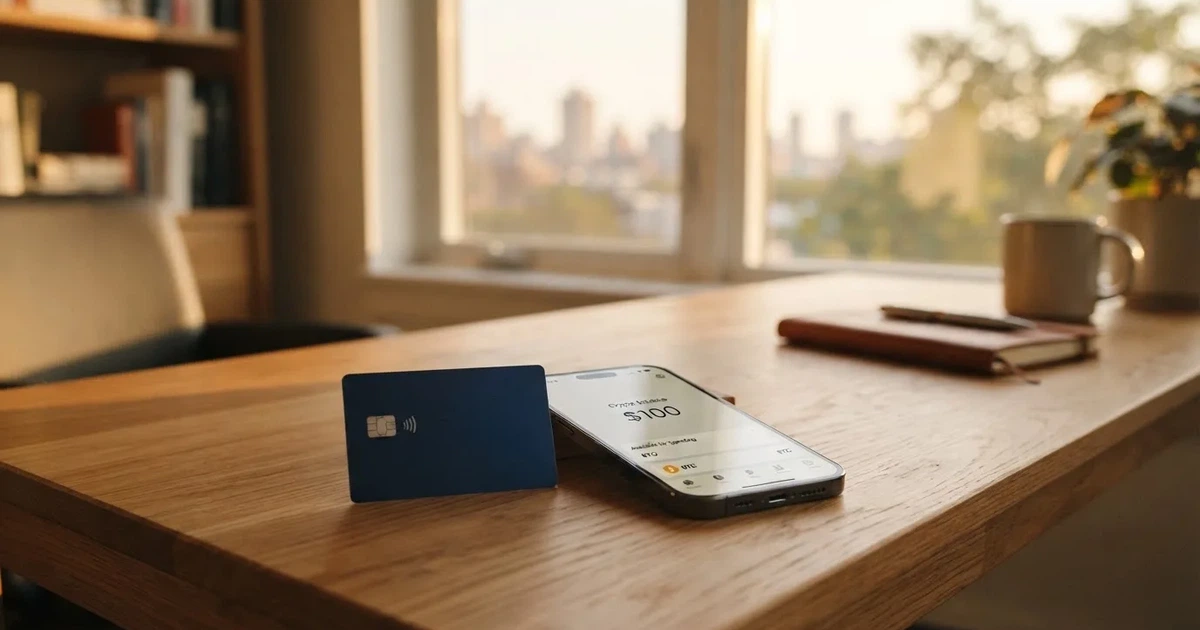
Conditions are current as of October 28, 2026.
I went through the card’s own pages, the published terms, the help-center and the user feedback on Trustpilot, then cross-checked the numbers you actually care about, the cost of getting the card, the cost of using it, the cost of leaving it alone, and what happens if the account gets frozen. The headline number is 5.6 out of 10. The reason it’s not higher is not the idea, it’s the execution: useful top-up options, but a Trustpilot sitting on 3.1 with a steady trickle of complaints about stuck withdrawals and accounts closed with money still inside.
Verdict
SolCard earns 5.6 out of 10. The split tells the story better than the average: very wide availability (8/10), reasonable everyday use (7/10), workable top-up options (6/10), and then two real drags, a confusing cost structure (4/10) and weak reliability signals in user feedback (3/10).
If you are a Solana user topping up a USD card and you treat the balance as cash you can afford to lose, SolCard does the basic job. If you need a card you can depend on for rent, a salary, or a long holiday abroad, the complaint pattern and the dormant-balance penalty are reasons to look at alternatives first.
| Criterion | Mark | Why |
|---|---|---|
| Who can get it | 8 / 10 | Accepted almost worldwide with a handful of country exclusions, but eligibility “may vary by region” and isn’t spelled out |
| Cost | 4 / 10 | Virtual card costs 5% plus USD 10 to load; Platinum removes the load fee but FX still runs to 1.5%; 10% of balance is taken monthly after 90 days of inactivity |
| Top-up options | 6 / 10 | SOL, USDC, ETH and BTC from any external wallet, but the network for each token is not stated anywhere |
| Reliability and complaints | 3 / 10 | Trustpilot 3.1 with the same themes repeating: stuck withdrawals, accounts closed with funds, support that does not answer |
| Everyday use | 7 / 10 | Contactless and Apple/Google Pay on Platinum, online card details on the virtual card, ATM access unconfirmed |
If you already have a normal bank card and you only want crypto-to-fiat convenience, SolCard is hard to justify. If a normal bank card is genuinely hard to get where you live, SolCard is one of the few options that takes a wide range of users and a wide range of crypto, and the price for that access is the marks above.
Who they will give the card to
SolCard describes itself as available worldwide, with a standard carve-out for people in Hong Kong (residents, domiciled or located) and for countries or individuals subject to comprehensive UN, US, EU or UK sanctions. The exact wording from the terms is “eligibility may vary by region”, which in plain English means the front door looks open, but the issuer behind the programme can still say no, and SolCard does not publish a country list you can check in advance.
There is a minimum age of 18. Beyond that, the terms say identity verification “may be required for certain card tiers, features, or spending limits”, without spelling out which tiers, which limits or which documents. From third-party reporting (cryptocardhub, August 2026), the virtual card is marketed as needing no KYC, and the Platinum physical card is the one where the company asks for ID. The official page does not contradict that, but it does not confirm it either, so the practical answer for the Platinum card is: prepare to send ID and proof of address, and accept that the rule may change without notice.
In short, the card is pitched at people who find ordinary bank cards hard to open: freelancers in countries with thin banking, residents who can’t pass a normal credit check, crypto holders who want a USD balance without opening a US account. The country rules follow the usual crypto-finance pattern, and the KYC rules follow the issuer behind the scenes rather than the marketing page.
How to get it
The signup path is the same for both products: create an account, choose the card, top it up, and start spending.
For the virtual card, the published flow is: sign up, deposit crypto, receive the card details in about 18 seconds after the first deposit confirms, then use the card number, expiry and CVV at online checkouts. No identity document is asked for on the way in, according to third-party reporting; the company reserves the right to ask for one later.
For the Platinum card, sign up, complete identity verification, top up the card, and wait for the physical card to be delivered. The product page says contactless, Apple Pay and Google Pay are included; third-party reporting from August 2026 says the physical card is “not available for now”, and a Trustpilot reply from July 2025 confirms that physical cards go through KYC. Delivery time, shipping countries and any postage fee are not stated on the public pages.
A few things to check before you go through the sign-up flow:
- Whether your country is on the exclusion list, which you only really know once you try to register with a local ID and address.
- Whether the top-up coins you actually hold (SOL, USDC, ETH, BTC) are on the list, and on which network each one needs to arrive. The official page does not say.
- Whether you are happy to receive a card in USD and let the card’s own FX spread handle any non-USD spending. The card currency is implied by the pricing, not stated outright.
Fees: what it really costs
This is the section that decides whether SolCard is worth it for you. There is no monthly fee on an active account. The catch sits in three places: how much it costs to load the virtual card, the FX spread on every non-USD payment, and the dormancy penalty on the balance if you stop using the card.
Here is the published cost structure as it appears on the product page:
| Fee or limit | Virtual | Platinum |
|---|---|---|
| Card issuance | From USD 10 per new card | Not stated separately; comes with the card |
| Top-up fee | 5% + USD 10 per new card | 0% |
| Monthly fee | None while the account is active | None while the account is active |
| Foreign exchange (FX) | 1–2% | 0–1.5% |
| ATM | Not stated | Not stated |
| Monthly spending limit | USD 5,000 | No stated limit (in-app limits may apply) |
| Dormancy / inactivity | 10% of balance per month after 90 days of inactivity | Same |
The way to read the table is by use case. If you only need a card for occasional online purchases, the virtual card is cheap to get (USD 10) but expensive to load (5% + USD 10). That 5% + USD 10 combination is paid each time you start a new card, so it is really a per-card cost, not a per-top-up cost. If you spend regularly in non-US dollars, the FX spread on the virtual card runs up to 2%, on top of whatever the merchant’s bank adds.
The Platinum card is built for ongoing use: 0% to top up, FX between 0% and 1.5%, no monthly fee, and no stated spending ceiling. The trade is that you are paying for the privilege of holding a balance with this provider, and that balance is taken from you at 10% per month if you leave the card alone for 90 days. So a long holiday, a forgotten card in a drawer, or a 4-month gap between trips means you lose a tenth of what is left, every month, until you either use the card or withdraw the balance.
Three concrete examples show what this looks like in practice:
- A USD 200 top-up on the virtual card costs you USD 10 + 5% of USD 200 = USD 20 in fees before you have spent a cent. You start with USD 180 of usable balance.
- A EUR 50 dinner paid with a Platinum card in a euro country is converted at the card’s FX rate (0–1.5%) plus whatever the merchant’s bank adds on top of the network rate.
- A USD 300 balance left untouched for six months is reduced by 10% in months four, five and six. The dormancy fee is taken from the balance, not added to a bill, so it is easy to miss until you log in.
A few details are not in the published pricing and matter to anyone who actually uses the card: ATM fees, the exact FX spread at any given moment, and per-transaction or daily limits. Third-party help-center guides quoted by cryptocardhub in August 2026 put the virtual card at USD 10,000 a month and Platinum at USD 100,000 a month, both higher than the product page, which is a useful reminder that limits and fees can change between the marketing page and the in-app terms.
Top up: how to fund the card
Topping up SolCard is a crypto transfer, not a bank transfer. The product page says the card accepts stablecoins and crypto including SOL, USDC, ETH and BTC, with “instant top-ups from any wallet”. Fiat top-up options, including card or bank transfer, are not stated. The amount you need to send and any minimum for your card type are shown in the app.
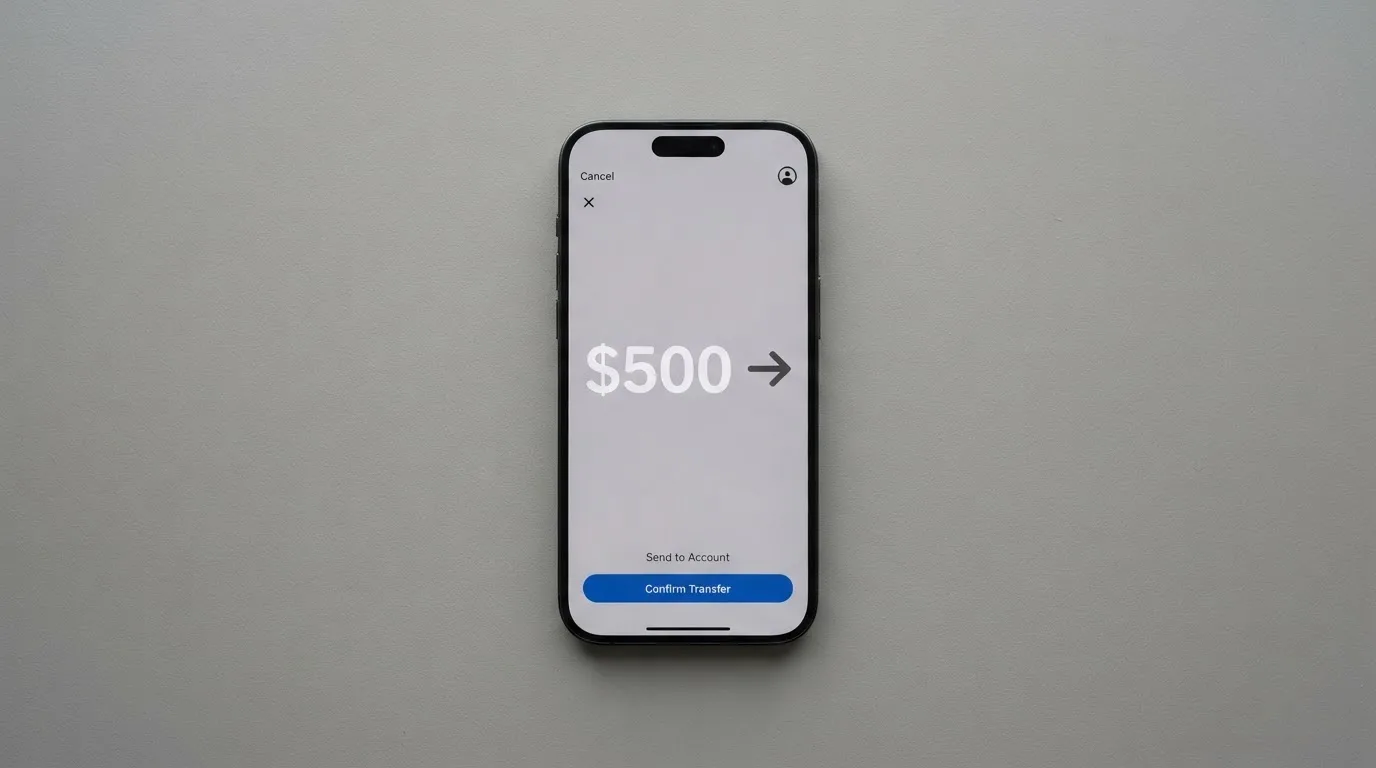
The practical workflow is:
- Pick the coin you want to send from your own wallet (Phantom, MetaMask, Trust, a hardware wallet, an exchange withdrawal).
- Send it to the deposit address SolCard shows you for that coin, on the network SolCard shows you for that coin.
- Wait for blockchain confirmation. The card balance is credited in USD, calculated at the price on the app screen at the moment the deposit confirms, minus the published top-up fee and the conversion spread.
Two things make or break a SolCard top-up, and both are under-documented on the official page:
- Which network each coin uses. SOL arrives on Solana, USDC can arrive on several networks (Ethereum, Solana, Base, Polygon, and others), and so can USDT. The product page does not name the network, and a deposit sent on a network the card does not support is the kind of mistake blockchain transfers do not forgive.
- The conversion price. Because the balance is credited in USD at the moment the transaction confirms, a price move between sending and confirming costs or gains you money. On a busy network that is minutes, on Ethereum it can be longer and more expensive.
For withdrawals, the terms say unused balance can be taken out subject to minimums, verification and the processing windows shown in the app. On cancellation, balances at or above the published minimum refundable amount are returned, and balances below it are forfeited. On termination, eligible balances can be withdrawn except where holds, disputes, chargebacks or legal restrictions apply.
If you want to keep top-ups cheap, the rule of thumb is to send the native asset on its native network (SOL on Solana, ETH on Ethereum, BTC on Bitcoin) and to send USDC on a network with low fees, ideally one SolCard has confirmed it accepts. If you hold USDT, the same care applies, and remember that the cheapest network is not always the one the card accepts.
Paying with it every day
In day-to-day use, the card behaves like a prepaid Visa. The virtual card is meant for online spending: you copy the number, expiry and CVV into a checkout and pay. There is no contactless element, and no Apple Pay or Google Pay on the virtual card. The Platinum physical card adds contactless payments, Apple Pay and Google Pay, and is the version you would put in a wallet for in-store spending.
A few things are useful to know in everyday use:
- Apple Pay and Google Pay are reserved for the Platinum card. If you tap-to-pay is your normal way of paying, the virtual card will not work.
- The card balance is in USD. Anything you buy in a non-USD currency goes through the card’s FX spread (0–1.5% on Platinum, 1–2% on virtual) before the merchant’s bank adds its own margin.
- Blocked merchants. SolCard does not publish a list of merchant categories it blocks. The terms say merchants restricted by the issuer or the card network can be declined, which is the issuer’s policy and the network’s rules talking, not a SolCard choice you can see in advance.
- Cashback and rewards. The product page does not mention any cashback. Third-party reporting from cryptocardhub (August 2026) describes a prize-draw entry system rather than a cashback scheme; treat that as unofficial.
- The mobile app. The product page talks about a “Dashboard” and does not name the platforms or app store ratings. The quality of the app is something you can only judge by installing it and seeing how it handles support tickets and balance updates.
- Disputes. The terms do not give a time frame for raising disputes or chargebacks. Disputes can hold withdrawals, and a handling fee may be charged for what the issuer considers a disproportionate number of declines, reversals or disputes. If you end up in a contract dispute, the terms send you to HKIAC arbitration in Hong Kong, in English, before a single arbitrator, which is a real consideration if you live nowhere near Hong Kong.
Two everyday snags to keep in mind:
- Address Verification Service (AVS) is mostly a US, Canada and UK tool. If you have a foreign billing address, some merchants’ anti-fraud systems decline the payment on sight, before the issuer is even asked.
- A declined authorisation can leave a hold on the funds for up to about 7 days. If your balance is tight, plan around that.
What can go wrong
The pattern of complaints, not the existence of any complaints, is the useful signal. The company behind SolCard is SC PAYMENTS LIMITED, a Hong Kong company (BRN 78350827) at Unit 1603, 16/F, The L. Plaza, 367-375 Queen’s Road Central. Its own role is described as program manager and technology platform, with the licensed issuer behind the Visa programme unnamed in the public materials. That is normal for the category, but it also means SolCard is the front of a stack you can see, while the bank or e-money institution that actually moves the money is not in the picture.
The complaint themes on Trustpilot, as of October 2026, are the ones to weigh:
- Withdrawals and transfers that get stuck, sometimes for months, with support unable or unwilling to release the funds.
- Cards cancelled without warning while holding a balance, and balances that were not returned within a reasonable time.
- Unauthorised or disputed charges where the user’s account data was reportedly erased after contacting support.
- A support function that, in a meaningful share of reviews, is described as unresponsive or bot-like, with email and Telegram mentioned as the only contact channels.
- A small but consistent trickle of one-star reviews (52% of the 29 reviews on Trustpilot are 1-star, 38% are 5-star; the average is 3.1 out of 5).
The company has, according to its own Trustpilot replies from October 2026, removed a USD 20 minimum withdrawal, reworked withdrawals and transfers, fixed a deposit hold, and pinned recent card declines on stricter card-issuer rules rather than its own systems. The third-party tracker cryptocardhub noted in August 2026 that the company only started publicly replying to old complaints in July 2026, which suggests the support function was thinner before then.
A separate risk worth naming is the look-alike domain solcards.cc, which has been flagged in phishing reports. SolCard’s own domain is solcard.cc. That kind of confusion is not SolCard’s fault, but it is the kind of thing a user of the real product has to keep an eye on.
On the safety side, the published material confirms that the balance is custodial, held by SolCard after you deposit, and that you are responsible for your card number, CVV, PIN and for reporting loss quickly. Two-factor authentication, in-app freeze and any insurance on the balance are not stated on the public pages, which is a gap relative to mainstream fintech cards. Under EU safeguarding rules, an e-money institution is required to segregate client funds, but a Hong Kong program manager operating under an unnamed issuer is not automatically in that regime, and customer funds are not the same as bank deposits and are not covered by deposit guarantee schemes.
The realistic risks, in order of how often they show up in user feedback, are:
- Your withdrawal gets stuck and support takes weeks to answer.
- Your account is closed with a balance still on it, and the refund is slow or partial.
- A card decline is treated as a fraud signal, your account is frozen, and the documents you send do not move the case quickly.
- The card you are paying with is from a country the merchant’s anti-fraud system treats with suspicion, and the payment is declined even though your balance is fine.
What to take instead
Three other cards cover the same rough ground, each with a different mix of price, availability and reliability. None of them is a perfect match for SolCard, and none is a recommendation to sign up; they are the alternatives to look at when you are comparing.
- Bitrefill (6.8 / 10). A virtual and physical Visa topped up with Bitcoin, Lightning, Ethereum, USDC, USDT, Solana and a long list of other coins, with Apple Pay and Google Pay funding options. The card is free through the app, but the deposit spread and the SEPA pay-in fee (1.99%) are where the cost sits. Cashback is 2% with no cap, split 1% on deposit and 1% on purchase, paid in a currency the rate card publishes on the website. Country list is not stated; eligibility is described as “subject to eligibility criteria” and additional partner checks. Card currency appears to be EUR, based on the terms.
- UPay (6.1 / 10). A virtual and physical card, both personal and business, in USD, EUR, AED and other currencies, with a published claim of support in 180+ countries. Top-up is with BTC, ETH, USDT and USDC; networks are not stated. Costs are not stated on the card page. Cashback is not stated on the card page, although the home page references a separate earn product. Useful if you want a multi-currency balance and a wider country list, less useful if you want published fees before signing up.
- Kemy (6.0 / 10). Unlimited virtual cards and a single physical Mastercard, accepted “globally” and aimed at 190+ countries, with a “check at sign-up” eligibility check. Pricing is the most detailed of the three: virtual cards cost USD 15 to issue and USD 2 a month, physical cards cost USD 250 to issue (DHL Express included) and USD 10 a month. Top-up with USDT and USDC on the “main networks”, plus BTC, ETH and SOL through an on/off ramp, and fiat via mobile money and virtual bank accounts. No cashback stated. The price is higher than SolCard’s, but the published numbers are clearer, which has its own value.
The trade-off between these three and SolCard is roughly: Bitrefill is cheaper to use and has clearer rewards, UPay is broader in currency and country, Kemy is more transparent on price, and SolCard sits in the middle on cost, the low end on transparency, and the high end on the kind of product complaints you would want to avoid.
| Card | Cost to get and use | Top-up | Cashback | Country coverage | Reliability signal |
|---|---|---|---|---|---|
| SolCard | Virtual 5% + USD 10 to load; Platinum 0% to load, FX 0–1.5% | SOL, USDC, ETH, BTC; network not stated | None stated | Worldwide, with country exclusions; eligibility “may vary by region” | Trustpilot 3.1; stuck withdrawals and account closures reported |
| Bitrefill | Card free through the app; SEPA pay-in 1.99% | Wide crypto list, Apple/Google Pay listed | 2% (1% on deposit, 1% on purchase) | Not stated; subject to partner checks | Score 6.8/10 |
| UPay | Not stated | BTC, ETH, USDT, USDC; network not stated | Not stated on card page | 180+ countries claimed; list may change | Score 6.1/10 |
| Kemy | Virtual USD 15 + USD 2/month; physical USD 250 + USD 10/month | USDT, USDC, BTC, ETH, SOL via on/off ramp; fiat via mobile money | Not stated | 190+ countries claimed; check at sign-up | Score 6.0/10 |
Who I would recommend SolCard to
If you are a Solana user who already keeps most of your money in SOL or USDC, and you want a USD-denominated Visa balance for online spending, occasional travel, or a way to pay a contractor without going through a bank, SolCard is a workable tool. The cost is honest if you choose the Platinum card: 0% to load, 0–1.5% on FX, no monthly fee. The 90-day dormancy penalty is the main thing to remember, and the way around it is to set a calendar reminder to either spend or withdraw before the deadline.
If you need a card that holds a salary, pays rent, or survives a long trip without surprise account closures, the complaint pattern on Trustpilot is the reason to look elsewhere first. The same applies if your only way to deal with a problem is an email address and a Telegram channel, with no in-app chat and no published dispute timelines.
A short checklist before you decide:
- You can afford to treat the balance as cash in a wallet, not money in a bank.
- You hold SOL, USDC, ETH or BTC on a network SolCard confirms in the app, and you are comfortable sending on the right chain.
- You will use the card often enough that the 90-day dormancy rule never kicks in, or you will withdraw the balance before it does.
- You have a backup card for the merchants and countries where the Visa is likely to be declined.
If all four are true, SolCard is a reasonable pick. If any one is false, the alternatives above give you a different mix of price, transparency and reliability that may fit better.
Frequently asked questions
What is the SolCard card?
SolCard is a prepaid Visa that you top up with crypto (SOL, USDC, ETH, BTC and other supported coins) and spend anywhere Visa is accepted, online or in store. The product comes as a virtual card for online use and as a Platinum physical card with contactless and Apple/Google Pay.
How does the SolCard card work?
You create an account, deposit crypto from your own wallet, and the card balance is credited in USD at the price shown in the app, minus any top-up fee and conversion spread. You then spend that balance with the card number, online or via contactless, and the issuer settles the transaction in the merchant’s currency through the Visa network.
Is SolCard a bank?
No. The Hong Kong company SC PAYMENTS LIMITED is the program manager and technology platform, and an unnamed licensed financial or e-money institution issues the card under a Visa licence. SolCard is a prepaid product, not a bank account, and balances are not covered by deposit guarantee schemes.
Who owns SolCard?
The public materials name SC PAYMENTS LIMITED, a Hong Kong-registered company (BRN 78350827), as the program manager. The licensed card issuer behind the Visa programme is not named on the public pages, and the wider ownership of the platform is not stated.
Is the SolCard card available in my country?
SolCard describes itself as available worldwide, with a carve-out for Hong Kong residents, domiciled or located users, and for countries or individuals subject to comprehensive UN, US, EU or UK sanctions. The terms add that “eligibility may vary by region”, so the practical answer is: try to register and see, because the country list is not published.
How do I get a SolCard card?
Create an account on the official site, choose the virtual or Platinum card, and top it up with crypto. The virtual card is issued about 18 seconds after the first deposit confirms. The Platinum card requires identity verification and the physical card is delivered once KYC clears, although third-party reporting from August 2026 says the physical card is “not available for now”.
Does the SolCard card require KYC?
The terms say identity verification “may be required for certain card tiers, features, or spending limits”, without listing which tiers or limits. Third-party reporting from August 2026 says the virtual card is marketed without KYC and the Platinum card asks for ID; treat that as unofficial until you go through the flow yourself.
How do I add the SolCard card to Apple Wallet?
Apple Pay and Google Pay are included with the Platinum physical card, according to the product page, and are not available on the virtual card. The setup is done through the in-app flow once the card is issued, and you add it to Apple Wallet from there in the usual way.
How do I top up the SolCard card?
Open the app, pick the coin you want to send, copy the deposit address and network shown in the app, and send from your own wallet. The balance is credited in USD at the moment the transaction confirms, minus any top-up fee and the conversion spread shown in the app.
Is the SolCard card safe to use?
The balance is custodial, held by SolCard, and the public pages do not state two-factor authentication, in-app freeze or insurance on the balance. User feedback on Trustpilot (3.1/5, 29 reviews) includes recurring complaints about stuck withdrawals and accounts closed with funds, so the safer reading is: use the card for what you can afford to lose and withdraw any balance you want to keep.
Virtual cards – cryptocardpedia.com
Content created by the «cryptocardpedia.com» team